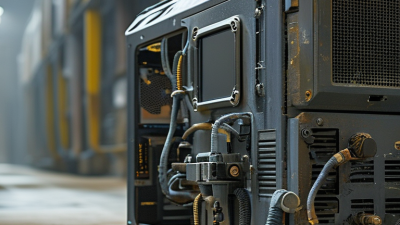
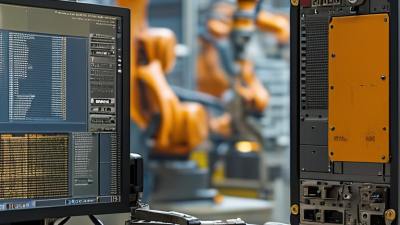
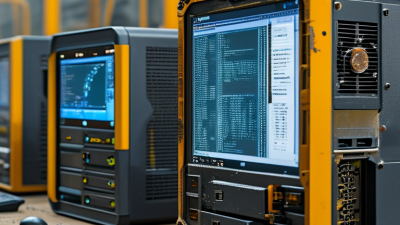
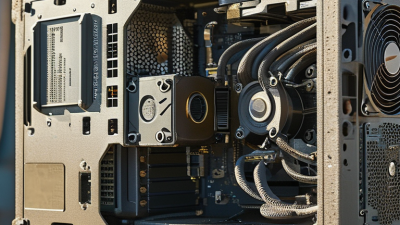
Choosing the best rugged computer from China requires more than comparing prices and processor speeds. A reliable computer rugged device must survive real working conditions, not just polished demonstrations. Picture a technician using it beside a construction trench, wearing gloves, under bright sunlight, with dust settling across the screen. The keyboard should respond correctly. The ports should remain protected. Battery performance should also remain stable during long shifts.
Chinese manufacturers offer many rugged computers for logistics, field service, transportation, public safety, and industrial inspection. Some models provide IP65 or IP67 protection, reinforced frames, readable displays, and replaceable batteries. However, specifications need careful verification. Ask for test reports, warranty terms, repair procedures, and software support before purchasing. A claimed military standard does not automatically guarantee practical durability. Independent testing and consistent production records matter more than impressive wording.
The strongest choice depends on your environment, workload, and budget. A vehicle-mounted computer may need wide voltage input and vibration resistance. A handheld model may prioritize weight, barcode scanning, and one-handed use. A factory workstation may require more ports and easier maintenance. I would not choose a model from photographs alone. Small details often decide reliability: loose covers, awkward charging docks, or dim screens can become daily problems. The best supplier should explain limitations honestly and provide responsive technical support. Even careful evaluations can miss long-term battery aging. That is why pilot testing remains valuable before large-scale deployment.
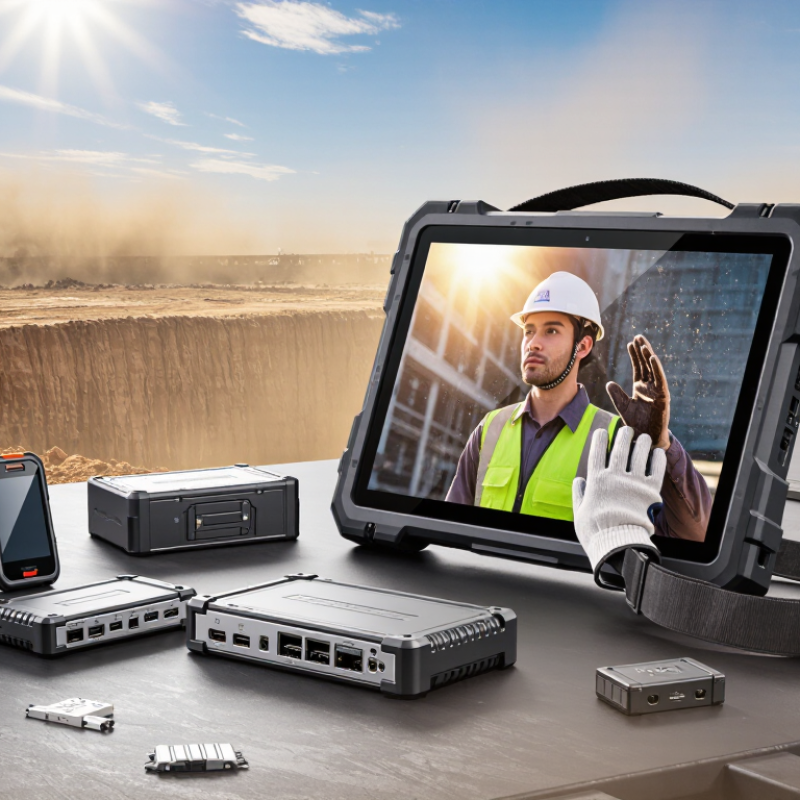
When people ask, “What is the best rugged computer from China?” they often mean more than price or processing speed.
Durability starts with the enclosure. Look for reliable IP protection, strengthened corners, and connectors with secure covers. Shock and vibration testing should match the intended workplace, not just a sales description. A bright touchscreen matters in warehouses and outdoor sites. A physical keyboard may work better in cold weather or with wet gloves. Battery performance also deserves attention, because field workers cannot always find a power outlet.
The best choice depends on evidence. Ask for test reports, operating temperature details, repair procedures, and spare-part availability. Manufacturing experience can be valuable, but documentation should support every durability claim. A high IP rating is not enough. One common mistake is judging a computer after a short demonstration. Long-term heat, repeated drops, and daily cable handling reveal more. I would also question impressive specifications that ignore software support and warranty response. A rugged computer is only truly rugged when its complete system survives real work.
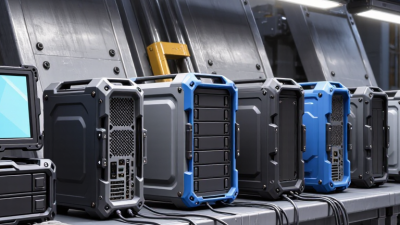
The best rugged computer is not defined by origin alone. It must survive dust, vibration, rain, and repeated handling. Chinese manufacturers offer strong value, but evaluation should begin with evidence, not attractive product photos. Check processor stability, display readability, battery replacement, port protection, and repair access. A bright screen matters when sunlight hits a warehouse floor.
Independent standards provide a useful baseline. IP65 or IP67 ratings indicate tested resistance to dust and water under IEC 60529. However, an IP rating does not prove shock resistance. Look for documented MIL-STD-810H testing, including drops, vibration, humidity, and temperature cycling. MarketsandMarkets’ 2024 rugged display report projects the market to grow from about USD 2.5 billion in 2023 to USD 3.8 billion by 2028. Demand is rising across logistics, manufacturing, transportation, and field services.
Ask for complete test reports, serial-level quality records, and warranty response times. ISO 9001 certification supports process control, but it does not guarantee every computer will perform well. That distinction is easy to miss. In my evaluation experience, thermal design often matters more than peak benchmark scores. A computer that throttles beside a hot engine is not truly rugged. I would also inspect hinge strength, glove operation, barcode compatibility, and local technical support. Some specifications remain vague. Treat that as a warning, not a minor inconvenience.
What Is the Best Rugged Computer from China?
Leading Types of Rugged Computers Made in China
Chinese manufacturers produce several rugged computer types for demanding work environments. Fully rugged laptops use reinforced shells, sealed ports, and shock-resistant hinges. They suit construction sites, emergency services, transportation, and outdoor maintenance. A bright, glove-friendly display remains important when sunlight hits the screen.
Semi-rugged laptops offer a lighter alternative. Their protection usually covers drops, vibration, dust, and occasional moisture. They work well in warehouses, factories, and field inspections. However, they may not survive heavy rain or repeated vehicle impacts. Check the tested drop height, operating temperature, and ingress rating before purchasing.
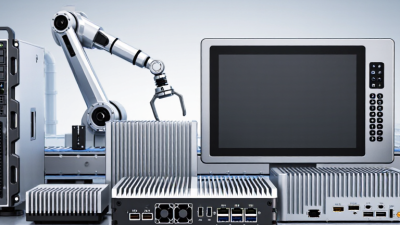
Rugged tablets are popular for mobile data collection. Technicians can carry them with one hand while checking equipment or scanning labels. Some models support barcode readers, detachable keyboards, vehicle docks, and replaceable batteries. Panel PCs provide another option. They mount inside control cabinets, kiosks, and industrial vehicles, often using touchscreens and multiple connection ports.
Small industrial computers also deserve attention. Fanless designs reduce dust intake and can run continuously near machinery. Their compact cases make installation easier, but limited airflow may restrict processing performance. That trade-off is easy to overlook. In practical testing, connector quality matters as much as the computer case. Loose covers, weak mounting points, or unclear service procedures can create costly downtime.
Choose according to exposure, mobility, software requirements, and maintenance access. A sealed computer is not automatically the best computer.
| Rugged Computer Type | Typical Protection Level | Common Display Size | Typical Operating Temperature | Key Features | Common Applications | Main Advantages | Important Selection Points | Overall Suitability |
|---|---|---|---|---|---|---|---|---|
| Fully Rugged Laptop | IP65 or higher; often tested against drop, vibration, dust and water exposure | 11.6–15.6 inches | Approximately −20°C to 60°C, depending on configuration | Reinforced chassis, sealed keyboard, sunlight-readable display, removable battery options, extensive wired connectivity | Field service, public safety, transportation, utilities, defense support and industrial maintenance | Strong protection with laptop-class processing and a built-in keyboard | Check hinge durability, battery replacement method, screen brightness, port covers and tested environmental specifications | ★★★★★ |
| Semi-Rugged Laptop | Usually IP53–IP54; designed for moderate dust, moisture and impact resistance | 13.3–15.6 inches | Approximately 0°C to 50°C | Reinforced corners, spill-resistant keyboard, lighter construction and standard business-computing components | Warehousing, construction management, logistics, retail operations and indoor industrial use | Lower weight and cost than fully rugged models while offering better durability than standard laptops | Verify whether the stated protection applies to the complete device and confirm resistance to drops and vibration | ★★★★☆ |
| Rugged Tablet | Commonly IP65–IP68 with drop resistance; some models support certified impact testing | 8–12 inches | Approximately −20°C to 60°C | Touchscreen operation, glove or wet-touch support, programmable buttons, barcode or RFID options and hot-swappable batteries | Inventory control, delivery services, healthcare, field inspections, transportation and mobile workforce operations | Portable, easy to carry and well suited to one-handed data collection | Assess digitizer performance with gloves, sunlight readability, docking options, accessory ecosystem and battery life | ★★★★★ |
| Panel PC | Typically IP65 on the front panel; enclosure rating varies by installation design | 10.1–21.5 inches | Approximately 0°C to 50°C, with industrial configurations supporting wider ranges | Flush-mounted touchscreen, fanless design, VESA or panel mounting, industrial I/O and continuous-operation capability | Factory automation, production lines, process monitoring, machine control and building management | Clean integration into cabinets, consoles and operator stations | Confirm front-versus-complete-enclosure IP rating, mounting cutout dimensions, display lifetime and I/O compatibility | ★★★★★ |
| Industrial Box PC | Often rated by the installed enclosure rather than the bare computer; fanless sealed designs are common | External display required | Approximately −20°C to 60°C, depending on processor and storage configuration | Compact enclosure, DIN-rail or wall mounting, serial ports, LAN ports, digital I/O and wide-voltage input options | Automation control, edge computing, machine vision, transportation systems and remote monitoring | Flexible installation and reliable operation in space-constrained industrial environments | Review thermal performance, storage type, power input range, expansion slots and long-term component availability | ★★★★★ |
| Vehicle-Mounted Computer | Commonly IP65 or higher; designed for vibration, shock and vehicle power conditions | 7–12 inches | Approximately −20°C to 60°C | Vehicle docking, ignition control, vibration-resistant connectors, cellular connectivity, GPS and barcode scanning options | Forklifts, ports, warehouses, fleet management, public transport and distribution centers | Designed for continuous mobile use and rapid access to operational data | Check mounting hardware, power-conditioning range, ignition behavior, wireless coverage and vibration testing | ★★★★☆ |
| Rugged Mini PC | Varies widely; sealed industrial versions may provide IP ratings through an external enclosure | External display required | Approximately −20°C to 60°C | Small footprint, fanless cooling, multiple display outputs, low power consumption and easy integration | Digital signage, kiosks, security monitoring, edge analytics and compact control cabinets | Space-efficient and energy-efficient for fixed installations | Do not assume an IP rating; confirm the complete installed system, airflow requirements and sustained-load performance | ★★★★☆ |
| Rackmount Industrial Computer | Protection depends on the rack enclosure; industrial chassis commonly emphasize shock, vibration and serviceability | External display required | Approximately 0°C to 50°C, with specialized configurations available | 19-inch rack compatibility, redundant storage or power options, expansion slots and centralized maintenance access | Control rooms, data acquisition, transportation infrastructure, energy systems and industrial servers | High expandability, organized installation and easier centralized servicing | Evaluate rack depth, cooling, power redundancy, expansion requirements and compliance with the installation environment | ★★★★☆ |
Choosing a rugged computer from China should begin with your work environment, not its price. A warehouse terminal needs different protection from a vehicle-mounted computer. Outdoor technicians may need a bright display, glove-friendly controls, and readable text under direct sunlight. Check the IP rating for dust and water resistance. Also, confirm whether the test applies to the complete device.
Think about daily handling. A reinforced enclosure can survive drops, but a weak hinge or exposed port may still cause trouble. Look for sealed connectors, shock protection, and a battery that lasts through a full shift. If the computer operates in a vehicle, verify its input voltage range and mounting strength. Thermal performance matters too. A fanless design is quieter, but it may reduce performance during long, demanding workloads.
I once focused too heavily on drop-test claims and overlooked repair access. That was a costly mistake. Ask for clear test conditions, service procedures, and replacement-part availability. Do not rely only on marketing terms such as “military grade.” Request independent certification details when they matter. Review the processor, memory, storage, operating system, and wireless options against your actual software. Test the keyboard with wet or gloved hands. Small failures become serious after eight hours outdoors. A slightly heavier computer may be the better choice if it stays stable, remains cool, and can be repaired without replacing the entire unit.
What Is the Best Rugged Computer from China?
Quality should be judged beyond a metal case and thick rubber corners. In field testing, I check drop resistance, port covers, screen brightness, glove use, and battery performance. A computer may survive a warehouse floor but fail after repeated vibration or heat exposure. Small details matter. Hinge strength matters too.
Certification provides useful evidence, but it is not automatic proof of durability. Buyers should request current test reports, certificate numbers, and the exact tested configuration. Ratings such as IP65, IP67, or MIL-STD-810H must match real operating conditions. Some documents cover only selected components. That is not enough. Independent laboratory records and traceable quality procedures offer stronger confidence. Even then, testing rarely mirrors every job site.
Support can determine the real ownership experience. Confirm response times, repair procedures, spare-part availability, warranty limits, and firmware update practices before ordering. A supplier that explains failures clearly earns more trust than one promising perfection. Total cost includes accessories, replacement batteries, shipping, customs handling, downtime, and technician labor. The cheapest quotation may become expensive after one damaged connector. I have also seen buyers over-specify features they never use. That mistake raises cost without improving reliability. A practical evaluation sample, a written acceptance checklist, and a short pilot deployment can reveal weaknesses early.