Request a Quote: Call 781-890-3111

10 Best Ruggedized Computers for Industrial Use?

Industrial computing is leaving the clean office behind. It now works beside conveyor belts, drilling rigs, cold-storage doors, and chemical processing lines. Dust enters vents. Gloves reduce touch accuracy. Vibration slowly loosens ordinary connectors. A reliable ruggedized computer must handle these realities without becoming impossible to maintain.

Industry research supports this shift. Grand View Research reports continued growth in the global industrial PC market, driven by automation, machine vision, and edge computing. MarketsandMarkets also identifies rising demand for rugged mobile computers across manufacturing, transportation, logistics, and energy operations. These reports show market momentum, but sales growth alone proves little. A device can be powerful on paper and still fail during a twelve-hour shift.

This guide examines 10 Best Ruggedized Computers for Industrial Use through practical criteria. These include ingress protection, MIL-STD-810 testing, operating-temperature range, screen readability, mounting options, serviceability, and long-term vendor support. We also consider processor performance, ports, wireless reliability, and compatibility with industrial software. Small details matter. A sealed USB cover may prevent costly downtime. A dim display may slow an inspection. A heavy chassis may strain a worker’s wrist.

No single model fits every plant. That is the uncomfortable part. Certification claims can vary by configuration, test method, and supplier documentation. Buyers should verify current datasheets and request test evidence before deployment. The best choice balances protection, performance, ergonomics, and total ownership cost. Field conditions remain unpredictable. A careful shortlist is still better than an impressive specification sheet.
10 Best Ruggedized Computers for Industrial Use?

What Are Ruggedized Computers for Industrial Use?

Ruggedized computers for industrial use are built to operate where ordinary office computers often fail. They support manufacturing, logistics, energy, transportation, and field maintenance tasks. Their reinforced housings resist vibration, dust, moisture, temperature changes, and accidental impacts. Some models also use sealed connectors, shock-resistant storage, and bright displays for difficult lighting conditions. Industrial ruggedization is not just a stronger case. It combines mechanical protection, stable performance, serviceability, and suitable environmental testing.

A reliable unit should match the workplace, not merely look durable. Check its operating temperature range, ingress protection rating, mounting options, screen readability, and available ports. Confirm whether the computer can run continuously beside motors, conveyors, or welding equipment. A fanless design may reduce dust intake, but it can also limit heat dissipation. That trade-off deserves attention. No computer is indestructible. Poor installation, blocked airflow, or unsuitable power protection can still cause failure. In practical equipment assessments, maintenance access often matters as much as shell strength.

Tips: Record the site’s heat, dust, moisture, vibration, and cleaning routines before choosing a computer. Test the keyboard or touchscreen with gloves. Verify cable security during movement. Leave room for service work. Avoid selecting the highest protection rating automatically; it may increase cost without solving the real problem. Recheck the design after a trial period, because actual factory conditions can expose assumptions that specifications miss.

10 Best Ruggedized Computers for Industrial Use

Comparison of common ruggedized computer types using a 100-point industrial suitability score. The score combines enclosure protection, operating-temperature tolerance, shock and vibration resistance, serviceability, and deployment flexibility. Actual specifications vary by configuration and manufacturer.

Fanless sealed box PCs and panel PCs typically perform well in dusty production areas, while vehicle-mounted terminals and rugged laptops are better suited to mobile operations. Choose a computer only after checking its certified IP rating, temperature range, vibration testing, connectivity, and maintenance requirements.

Key Criteria for Selecting an Industrial Rugged Computer

10 Best Ruggedized Computers for Industrial Use?

Selecting an industrial rugged computer requires more than comparing processor speed. In a dusty plant, a sealed enclosure, readable display, and secure mounting often matter more. Check the required IP rating under IEC 60529. IP65 may resist dust and water jets, but it does not guarantee protection against immersion. For mobile equipment, verify shock and vibration testing under the relevant MIL-STD-810H methods. These tests must match real installation conditions, not just appear on a specification sheet.

MarketsandMarkets projects the industrial PC market to grow from approximately USD 5.6 billion in 2023 to USD 7.6 billion by 2028. That growth reflects rising automation, but it also exposes a common mistake: choosing hardware before defining the workflow. Evaluate operating temperatures, glove operation, sunlight visibility, power interruptions, cable strain, and required ports. Long product-support periods can reduce replacement risks. However, published reliability figures should be treated carefully. Laboratory results rarely reproduce metal dust, vibration, heat cycling, and rushed maintenance.

Tips: Test the computer beside the machine for at least one full production cycle. Record surface temperature, screen visibility, connection stability, and cleaning effort. Ask whether technicians can replace storage, cables, or mounting parts quickly. A powerful unit may still fail operationally if its ports are poorly placed. The best choice is not always the fastest model. It is the one that remains usable when conditions become inconvenient.

10 Best Ruggedized Computers for Industrial Applications

The 10 best ruggedized computers for industrial applications are not identical machines. They serve different risks. The strongest options include fanless box PCs, panel PCs, rackmount systems, vehicle-mounted computers, embedded edge computers, industrial tablets, rugged laptops, touchscreen terminals, mobile workstations, and industrial servers. Each should handle dust, vibration, moisture, heat, and sudden power changes. Look for IP65 or higher protection, wide-temperature operation, solid-state storage, and serviceable components.

Deloitte’s 2024 Global Smart Manufacturing Survey found that 92% of manufacturers view smart manufacturing as important for competitiveness. That finding supports edge computing near production lines, where fast decisions matter. A 2024 industrial PC market report by Mordor Intelligence estimated continued growth through the decade, driven by automation and connected equipment. Still, market growth does not guarantee reliability. A computer with excellent processing power may fail beside a furnace if its cooling design is weak. I have seen specifications look impressive, yet cable ports loosen under repeated vibration.

Tips: Match the computer to the environment, not the brochure. Check shock ratings, humidity limits, screen brightness, connector locks, and operating-system support. For dusty workshops, choose sealed fanless designs. For vehicles, confirm vibration testing and ignition control. For machine vision, prioritize GPU capability and stable network interfaces. Keep spare storage modules. Downtime is expensive. Also question exaggerated “military-grade” claims unless independent test documentation is available. A short warranty can reveal a longer problem.

10 Best Ruggedized Computers for Industrial Applications
No. Rugged Computer Type Best Industrial Application Protection Rating Operating Temperature Display and Input Processing and Memory Storage Connectivity and Expansion Typical Weight Overall Suitability
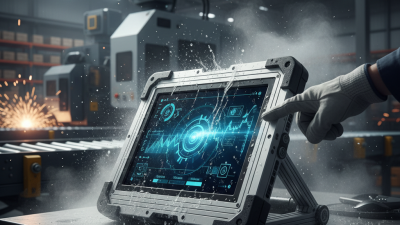
1 Fully Rugged Windows Tablet Field maintenance, utility inspection, construction documentation, and mobile asset management IP65; commonly tested to MIL-STD-810H drop, vibration, shock, and temperature procedures −20°C to 60°C 10.1-inch sunlight-readable display; glove- and wet-touch support; optional digitizer pen Intel Core Ultra 5-class processor; 16 GB RAM 512 GB solid-state drive Wi-Fi 6, Bluetooth 5.x, USB-C, USB-A, optional 4G/5G and GNSS Approximately 1.3–1.6 kg ★★★★★
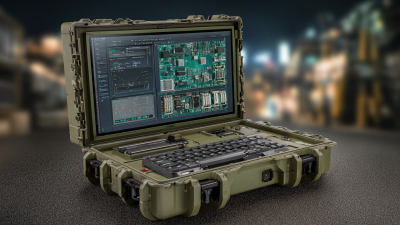
2 Rugged Convertible Notebook Plant engineering, service reporting, CAD viewing, and mobile work-order processing IP65; reinforced chassis with MIL-STD-810H environmental testing −29°C to 60°C 12–14-inch high-brightness touchscreen; 360-degree hinge; backlit keyboard Intel Core i5-class processor; 16–32 GB RAM 512 GB to 1 TB solid-state drive Wi-Fi 6E, Bluetooth, Ethernet through docking, USB-C, USB-A, HDMI or DisplayPort Approximately 2.0–2.8 kg ★★★★★
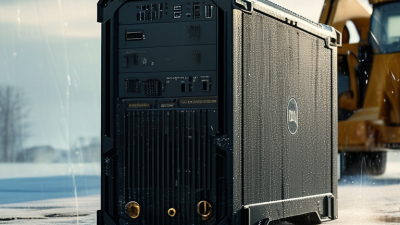
3 Fanless Industrial Box Computer Machine control, edge computing, production monitoring, and factory data collection IP65 front protection; fanless sealed enclosure; vibration-resistant mounting −20°C to 70°C No integrated display; designed for panel, DIN-rail, or wall mounting Intel Core i5-class or embedded processor; 8–32 GB RAM 128 GB to 1 TB industrial solid-state storage Multiple Gigabit Ethernet ports, USB, serial ports, digital I/O, optional fieldbus interfaces Approximately 1.5–4.0 kg ★★★★★
4 Panel-Mount Industrial Computer Human-machine interface systems, process visualization, and production-line supervision IP65 or higher at the front; sealed front bezel for control-panel installation 0°C to 50°C, with extended-temperature options 15–21.5-inch projected-capacitive touchscreen; wide viewing angles Intel Celeron-, Atom-, or Core-class processor; 4–16 GB RAM 64 GB to 512 GB solid-state drive Gigabit Ethernet, USB, serial communication, video output, optional industrial protocols Approximately 4–9 kg ★★★★☆
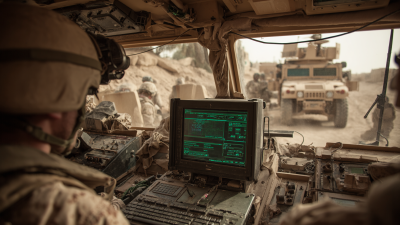
5 Vehicle-Mounted Rugged Computer Warehouse vehicles, fleet dispatch, logistics scanning, and yard management IP65; designed for shock, vibration, dust, and vehicle power fluctuations −30°C to 50°C 10–15-inch sunlight-readable touchscreen; glove-friendly input Low-power embedded processor; 4–16 GB RAM 64–256 GB solid-state storage Wi-Fi 6, Bluetooth, GNSS, cellular options, USB, Ethernet, vehicle power input Approximately 2.0–5.0 kg ★★★★☆
6 Rugged Mobile Workstation 3D engineering review, infrastructure inspection, remote diagnostics, and technical simulation IP53–IP65 depending on configuration; reinforced enclosure with shock and vibration protection −20°C to 55°C 15–17-inch high-resolution display; precision touchpad; optional touchscreen Intel Core i7-class processor; 32–64 GB RAM; optional professional graphics 1 TB solid-state drive, often with a second storage bay Wi-Fi 6E, Bluetooth, USB-C, USB-A, Ethernet, HDMI or DisplayPort, docking support Approximately 3.0–4.5 kg ★★★★☆
7 Hazardous-Area Certified Tablet Oil and gas inspection, chemical processing, pharmaceutical plants, and utilities IP65 or higher; available with certification for specified hazardous locations −20°C to 50°C 8–10-inch sunlight-readable touchscreen; glove and wet-touch operation Low-power mobile processor; 4–8 GB RAM 64–256 GB solid-state storage Wi-Fi, Bluetooth, cellular options, GNSS, USB-C; wireless features depend on certification Approximately 0.8–1.4 kg ★★★★☆
8 Rugged Embedded Computer Autonomous machinery, robotics, transportation systems, and industrial edge analytics IP40–IP67 depending on enclosure; designed for continuous vibration and shock exposure −40°C to 70°C No integrated display; compact embedded installation format Embedded Intel, ARM, or equivalent processor; 4–32 GB RAM 32 GB to 1 TB solid-state storage, often with removable or industrial-grade media Gigabit Ethernet, USB, serial, CAN bus, digital I/O, GPIO, and optional wireless modules Approximately 0.3–2.5 kg ★★★★☆
9 Rugged Rack-Mount Computer Transportation control rooms, defense support systems, telecom sites, and industrial data centers IP20 chassis; designed for protected enclosures with shock, vibration, and electromagnetic compatibility requirements 0°C to 50°C, with extended-temperature configurations No integrated display; standard 19-inch rack installation Intel Core, Xeon, or embedded server-class processor; 16–128 GB RAM 1–8 TB solid-state storage with RAID options Multiple Ethernet ports, USB, serial, video outputs, PCIe expansion, remote management options Approximately 8–20 kg ★★★★☆
10 Compact Rugged Industrial PC Retail automation, laboratory equipment, digital signage, and space-constrained control cabinets IP40–IP65 depending on mounting enclosure; fanless designs available −10°C to 60°C No integrated display; compact wall, VESA, or DIN-rail mounting Intel N-series, Celeron-, or Core-class processor; 4–16 GB RAM 64–512 GB solid-state storage Gigabit Ethernet, USB, HDMI or DisplayPort, serial ports, optional Wi-Fi and cellular connectivity Approximately 0.5–2.0 kg ★★★☆☆

Comparison of Performance, Durability, Connectivity, and Cost

10 Best Ruggedized Computers for Industrial Use?

Industrial computing should be judged beyond processor speed. A 2024 MarketsandMarkets report valued the rugged displays market at over 2 billion dollars, showing sustained demand for field-ready hardware. Performance still matters, but stable thermal behavior matters more near furnaces, pumps, and dusty production lines. Solid-state storage reduces moving parts. Modern processors also support machine vision and predictive maintenance without requiring constant cloud access.

Durability needs measurable evidence. Look for IP ratings under IEC 60529, tested drop resistance, and operating temperatures suited to the site. A computer rated for water jets may survive a washdown, but seals can weaken after years of chemical exposure. That detail is often missed. Connectivity should include dependable Wi-Fi, cellular options, Ethernet, serial ports, and positioning support. According to the 2023 Uptime Institute Global Data Center Survey, power-related incidents remain a leading outage cause, so battery management and graceful shutdown features deserve attention.

Tips: Match the computer to the harshest task, not the average one. Record boot time, screen readability, and connection stability during a real shift. Compare five-year cost, including docks, batteries, repairs, and software support. VDC Research consistently emphasizes lifecycle value in rugged mobility assessments, yet procurement teams sometimes focus only on purchase price. That is understandable, but incomplete. A cheaper unit may become expensive when gloves, vibration, or poor sunlight expose design weaknesses. Test before scaling.

How to Choose the Right Rugged Computer for Your Facility

Choosing the right rugged computer starts with the facility, not the product catalog. Map temperature, dust, moisture, vibration, and cleaning chemicals across each workstation. A device beside a conveyor needs different protection than one inside a control room. Heat matters. Dust wins. IEC 60529 ratings help verify enclosure protection, while MIL-STD-810H testing indicates resistance to selected environmental stresses. Neither standard guarantees performance in every factory.

Deloitte’s 2024 Smart Manufacturing and Operations Survey reported that 86% of manufacturing leaders view smart manufacturing as important for competitiveness. That pressure makes reliability measurable. Check processor performance, memory capacity, display brightness, and wireless stability under real workloads. A bright screen may reduce errors near windows. Glove-compatible touch is useful, but wet gloves can still cause missed inputs. Test it. Examine port covers, mounting points, battery replacement, and repair access before approval.

The best choice also fits your maintenance routine. Ask how quickly technicians can replace a battery, restore an operating image, or clean the enclosure. The U.S. Department of Energy’s Better Buildings program identifies operations and maintenance as major drivers of industrial energy performance, reminding buyers that lifecycle work affects facility results. Calculate downtime, accessories, training, and spare units, not only purchase price. I would also run a two-week pilot in the harshest area. That exposes weak Wi-Fi, unreadable labels, and awkward mounting angles. Specifications can look convincing. Field evidence is less polite.