Request a Quote: Call 781-890-3111

10 Best Rugged PCs for Industrial Use in 2026

Industrial computers rarely work in comfortable offices. They face metal dust, vibration, oil mist, temperature swings, and long shifts beside loud machinery. A reliable rugged pc must keep running when gloves, poor lighting, and unstable networks complicate routine tasks. It should also support operators, not create another problem during a production delay.

This guide examines ten rugged PCs for industrial use in 2026. The selection considers ingress protection, shock resistance, processor performance, display readability, mounting options, serviceability, and long-term availability. We also look at practical details: sealed ports, fan design, sunlight visibility, cable access, and replacement parts. These features matter on a factory floor. A bright screen can prevent a costly mistake. A removable storage drive can shorten recovery time.

Specifications alone are not enough. Manufacturer testing offers useful evidence, but real installations can expose limitations. A computer rated for vibration may still need careful mounting. A sealed enclosure may complicate repairs. We weigh published certifications, warranty terms, technical documentation, and user-focused field experience. Some rankings remain debatable. No single model suits every plant, vehicle, warehouse, or outdoor cabinet. That is the point of this comparison: to clarify trade-offs before procurement teams spend heavily. Check local requirements and your operating environment carefully. Small details often decide whether a rugged pc becomes dependable infrastructure or an expensive disappointment.
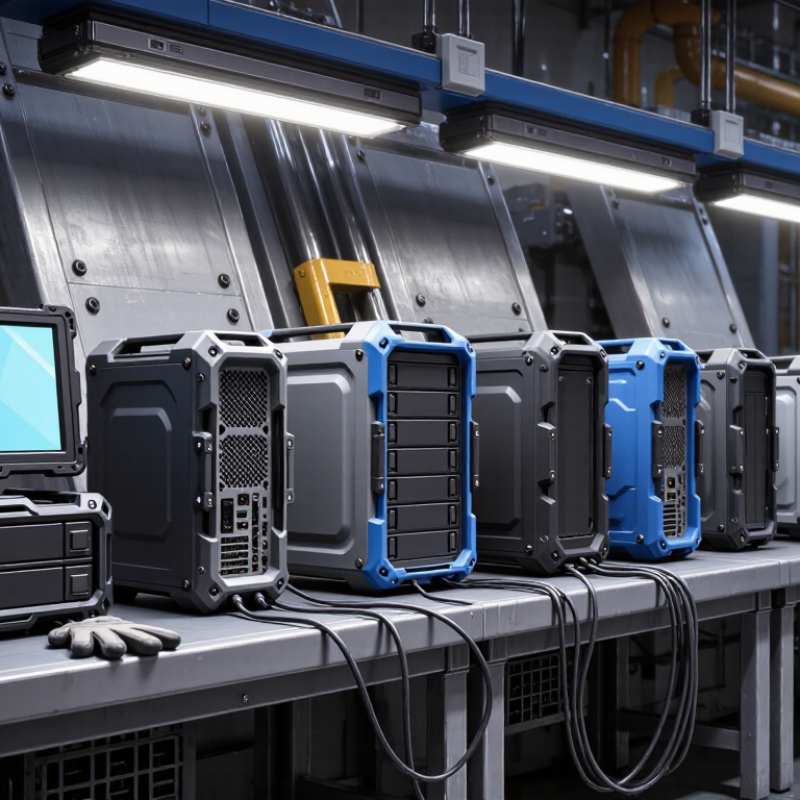
10 Best Rugged PCs for Industrial Use in 2026

What Makes a PC Rugged for Industrial Use in 2026

What Makes a PC Rugged for Industrial Use in 2026

A rugged industrial PC must survive more than an accidental knock. It needs sealed protection against dust, water spray, oil mist, and metal particles. An IP65 or higher enclosure is often useful, but the rating must match the installation. A warehouse computer faces different risks than a machine-mounted unit. Vibration, sudden impacts, and continuous operation can expose weak mounting points quickly.

Thermal stability matters just as much. Reliable systems should operate across wide temperature ranges without frequent throttling or shutdowns. Fanless designs reduce dust intake and moving-part failures, although they may require careful heat planning. Bright, anti-glare displays improve visibility near windows and welding areas. Physical controls should remain usable with gloves. Ports need secure covers, locking connectors, or protected placement.

Small details matter.

In field testing, technicians often judge ruggedness by service access. A replaceable storage drive, accessible memory, and clear diagnostic indicators can reduce downtime. Hardware-based security, encrypted storage, and controlled firmware updates also protect production data. Still, a rugged label does not guarantee long-term reliability. I have seen devices pass laboratory tests but struggle after poor cable routing and inadequate ventilation. Real durability depends on installation, maintenance, and realistic testing. A strong evaluation should include vibration checks, temperature cycling, moisture exposure, and several weeks of monitored operation before full deployment.

Key Criteria for Evaluating Industrial Rugged PCs

Choosing the 10 best rugged PCs for industrial use in 2026 requires more than comparing processor speed. Evaluate the operating environment first. IEC 60529 defines IP protection levels, but an IP65 enclosure does not guarantee resistance to vibration, oil, or thermal shock. For harsh sites, check test evidence against MIL-STD-810H methods, especially vibration, humidity, and temperature cycling. NIST SP 800-82 Rev. 3 also stresses segmentation and secure maintenance for operational technology. A fast computer is still a weak choice if updates interrupt production.

Look closely at thermal design, service access, and lifecycle support. Grand View Research reports continued growth in the industrial PC market through 2030, driven by automation and edge computing. That growth can encourage rushed purchases. Ask for measured performance at the highest ambient temperature, not only laboratory results. Check memory replacement, storage endurance, connector locking, and warranty response times. Fanless designs reduce dust intake, but they may throttle under sustained loads. That trade-off deserves testing.

Tips: Build a site checklist before requesting quotations. Record temperature, vibration, washdown exposure, network protocols, and screen-glove requirements. Request sample units for a two-week pilot. Measure boot time, surface temperature, and recovery after power loss. Do not trust a datasheet alone. Real floors are messier.

Ten Leading Rugged PCs for Industrial Applications

Industrial computing demands more than a powerful processor. The ten leading rugged PCs for industrial applications combine protected enclosures, stable performance, and practical service access. They support factory control, warehouse monitoring, transport management, and outdoor field work. A strong unit should resist dust, vibration, moisture, and sudden temperature changes. Dust matters. Heat matters more.

The best rugged PCs usually include sealed ports, reinforced frames, and wide-voltage power input. Some provide fanless cooling, reducing maintenance near machinery and airborne particles. Others use active cooling for demanding data processing, although moving parts may create additional failure points.

Bright displays and glove-friendly controls improve operation beside conveyors or in cold storage rooms. Storage should also tolerate vibration, especially in vehicles and mobile production systems.

My evaluation would examine certification evidence, operating temperature, repair procedures, and long-term component availability. A rugged case alone proves little. Manufacturers should publish test conditions, not only attractive durability claims. I would also check cable placement, because a poorly positioned connector can fail before the computer does.

No list is perfect. A model that performs well in a clean plant may struggle beside a furnace or a vibrating press.

Power quality, mounting space, and software compatibility can change the final choice. Field trials remain essential, yet they are sometimes skipped when budgets become tight. That shortcut deserves reconsideration.

Comparing Performance, Durability, Connectivity, and Expandability

Industrial PCs earn their place through measurable performance, not impressive specifications alone. Compare sustained processor output under heat, dust, and continuous workloads. Short benchmark bursts can mislead. A system handling machine vision needs stable graphics performance and sufficient memory. A control cabinet may value low latency more than peak speed. Check thermal throttling after several hours, not just during a fresh startup.

Durability begins with the enclosure. Look for sealed construction, shock resistance, vibration testing, and a wide operating-temperature range. Confirm the stated protection rating and testing method. A dusty factory floor exposes weak seals quickly. Mounting strength matters too. Loose brackets can damage ports and storage devices over time. Service access should allow cleaning and replacement without dismantling nearby equipment.

Connectivity often decides whether an industrial computer remains useful. Count the exact number of Ethernet, serial, USB, display, and wireless interfaces. Then check their speeds and isolation features. Expandability deserves equal attention. Removable storage, spare memory slots, PCIe access, and configurable I/O can extend service life. However, extra slots may reduce airflow or increase power demand. That trade-off is easy to overlook. Review technical drawings, maintenance records, and warranty conditions before selecting among the ten systems. A clear documentation trail is more reliable than a polished product page.

Choosing the Right Rugged PC for Different Work Environments

Choosing the best rugged PC in 2026 starts with the worksite, not the specification sheet. A warehouse terminal needs bright displays, barcode connectivity, and sealed ports. An oilfield or construction site needs shock resistance, sunlight readability, and glove-friendly controls. For dusty areas, an IP65 rating can block dust and water jets, but it does not guarantee protection against every chemical. Check the test conditions carefully.

Grand View Research estimates that the global rugged display market will expand at a compound annual growth rate of about 7% through 2030. That growth reflects harsher field operations and wider digital monitoring. Still, performance depends on details. For outdoor inspection, select a screen above 800 nits, a wide operating-temperature range, and a replaceable battery. In cold storage, battery chemistry and heater design matter more than peak processor speed. Short interruptions become expensive.

Standards help, but they are not magic. MIL-STD-810H testing covers specific environmental methods, not universal durability. Ask for the tested methods and laboratory conditions. Request service-life data, repair times, and port-cycle testing. These details often reveal more than marketing language. A 2024 VDC Research analysis of enterprise mobility emphasizes lifecycle support and deployment reliability as major purchasing factors. I would not rank a computer highly without field trials. Dust behaves differently from laboratory dust. That is easy to forget. A sensible evaluation uses the actual gloves, vehicles, tools, and network dead zones found at the jobsite.