Buying an industrial computer system is not like choosing an office desktop. On a factory floor, heat, vibration, dust, electrical noise, and shutdown costs change every decision. One missed detail can stop a production line.
Gartner’s widely cited edge-computing forecast projected that 75% of enterprise-generated data would be created and processed outside traditional data centers by 2025. That prediction reinforces a practical reality: industrial computers now sit closer to machines, sensors, cameras, and control networks. They must process data reliably, often without a climate-controlled room. IDC’s Worldwide Edge Spending Guide also identifies manufacturing as a major area for edge investment, driven by automation, real-time analytics, and operational resilience. These reports support the market direction, but they do not select the right model for your plant.
A sound purchase requires more than processor speed. Buyers should examine operating temperature, ingress protection, shock and vibration ratings, expansion slots, display interfaces, storage endurance, cybersecurity support, and long-term availability. IEC 60529 ratings can clarify enclosure protection, while IEC 60068 testing helps assess environmental resistance. ARC Advisory Group and VDC Research have both highlighted the importance of lifecycle management in industrial and embedded computing. That matters when a replacement must remain compatible five years later.
The checklist is not perfect. Real sites often reveal undocumented heat, obsolete cables, or unstable power. A pilot installation can expose those weaknesses before full deployment. The following ten tips connect published industry evidence with practical evaluation steps, helping buyers compare systems with clearer expectations and fewer expensive surprises.
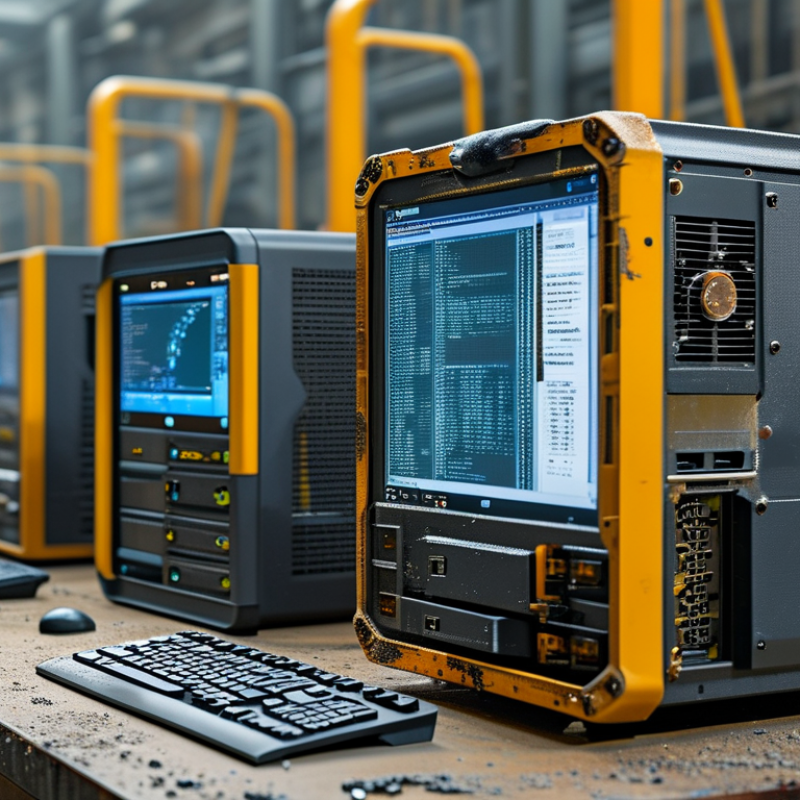
Before choosing hardware, define the industrial computer system’s operating requirements in measurable terms. An industrial computer is part of a working process, not an isolated desktop. Start with the machine or control task it must support. Record required software, processing load, response time, display needs, and connected devices. Include cameras, sensors, serial equipment, network ports, and storage limits.
Measure the installation environment carefully. Note temperature changes, dust, vibration, moisture, electrical noise, and available cabinet space. A computer near a motor may face stronger vibration than expected. A dusty enclosure may also restrict airflow. Do not rely only on typical conditions. Record peak heat, seasonal changes, and cleaning routines. Small details matter.
Define uptime expectations and maintenance access before approving a design. Decide whether the system needs continuous operation, automatic restart, local backup, or remote monitoring. Clarify how quickly technicians must replace storage, cables, or cooling components. Security requirements also belong in this document, including user permissions, update controls, and network separation. I have seen specifications that listed powerful processors but ignored connector access. That mistake delayed installation. A spreadsheet may look complete, yet it can miss operator habits and awkward service angles. Test the proposed workflow with the people who will use and maintain the system. Their practical feedback often exposes requirements that engineering measurements overlook.
Processing specifications should match the workload, not just the highest advertised speed. A control application may need stable real-time performance, while machine vision requires stronger CPU or GPU resources. Check core counts, clock behavior, memory capacity, and thermal limits under continuous load. Short tests can mislead. Run the system with sensors, cameras, and software active together. Measure twice.
Storage deserves equal attention. Select industrial-grade solid-state storage with suitable capacity, endurance, and temperature tolerance. Calculate daily data writes from logs, images, and system updates. Then allow room for growth. During one equipment evaluation, the operating system fit comfortably, but image archives filled the drive much sooner than expected. That mistake was easy to prevent. Use health monitoring and plan a replacement process before failure occurs.
Expansion specifications often determine the system’s useful life. Count required Ethernet, serial, USB, digital I/O, and display connections today. Leave available slots for future modules. Confirm whether the computer supports standard bus technologies, external expansion, and independent power requirements. Physical space also matters; a card may fit electrically but block airflow or nearby connectors. Review mounting dimensions, cable bends, and service access in the actual cabinet. Plan for change. A slightly larger system can be more reliable than a tightly packed one, although excessive capacity may increase cost and heat.
A reliable industrial computer starts with its physical environment, not its processor. A 2024 MarketsandMarkets report estimates the industrial PC market will grow from about USD 5.3 billion in 2023 to USD 7.8 billion by 2028. That expansion reflects more demanding automation sites. Form factor decisions now affect maintenance, cooling, and service life.
Choose a panel PC when operators need a clear touchscreen beside the machine. Select a box PC when space is limited and remote mounting is practical. Rack systems suit control rooms, but they need airflow and protected cable routes. DIN-rail computers work well inside compact electrical cabinets. Measure twice. A cabinet with only 30 millimeters of spare depth may reject an otherwise capable system.
Installation details deserve equal attention. Use the enclosure’s IP rating as a design requirement, not a marketing shortcut. IEC 60529 defines protection levels against dust and water, but the rating applies only when installation remains sealed. Leave room for connectors, bend radius, and future replacement. In dusty production areas, forced-air cooling can become a maintenance burden. Fanless designs reduce moving parts, though they may require a larger thermal surface. I have seen teams choose the smallest enclosure and later regret restricted airflow. That mistake is avoidable, but not always obvious during procurement. Check vibration, shock, ambient temperature, and grounding against IEC 60068 testing conditions before approving the mounting method.
10 Tips for Buying an Industrial Computer System
Verify Environmental Protection, Connectivity, and Compatibility
An industrial computer must survive its actual workplace, not just a showroom test. Check operating temperature, humidity limits, shock resistance, and vibration ratings. An IP rating, supported by IEC 60529 test evidence, helps confirm protection from dust and water. Ask for EMC compliance records and thermal test results. A sealed enclosure may reduce airflow, so inspect cooling performance during continuous operation. Small details matter.
Connectivity should match the equipment already installed. Count serial, Ethernet, USB, digital input, and display ports carefully. Confirm connector locations, cable clearance, and network speed. A machine may need isolated interfaces for noisy industrial signals. Wireless communication can simplify installation, but metal cabinets may weaken signals. Test it on site.
Compatibility involves more than an operating system label. Verify processor architecture, driver support, memory limits, storage format, mounting dimensions, and input voltage. Confirm that existing control software communicates correctly with the selected interfaces. Review the vendor’s lifecycle policy and repair process. Field reviews often reveal overlooked issues, such as a cable blocking the service panel. That is easy to miss.
Avoid buying maximum specifications without a clear workload. Extra performance can increase heat, power use, and maintenance demands. A short pilot test with real sensors, software, and cables is more reliable than a polished specification sheet. Some decisions will still require revision after installation. That is normal, but ignoring early warning signs is expensive.
| Tip | Evaluation Dimension | What to Verify | Practical Selection Benchmark | Recommended Evidence | Why It Matters |
|---|---|---|---|---|---|
| 1 | Operating Temperature | Confirm the guaranteed operating temperature range under the intended workload, installation position, and airflow conditions. | For demanding industrial locations, consider a rated range of at least -20°C to 60°C. Wider ranges may be required for outdoor or unconditioned enclosures. | Product specification sheet and test report stating the temperature range and test conditions. | Temperature outside the rated range can reduce reliability, cause shutdowns, or shorten component life. |
| 2 | Ingress and Dust Protection | Check whether the enclosure protects against dust, water, oil mist, and cleaning procedures used at the site. | For dusty areas, an enclosure rated IP65 provides dust-tight protection and protection against water jets when properly installed. | Independent ingress-protection test report or certification based on IEC 60529. | Inadequate sealing can allow contaminants to damage connectors, circuit boards, storage devices, and cooling systems. |
| 3 | Vibration and Shock Resistance | Compare the computer’s tested vibration and shock levels with the machinery, vehicle, or production line environment. | Look for published testing based on standards such as IEC 60068-2-6 for vibration and IEC 60068-2-27 for shock. | Test conditions should state frequency range, acceleration, duration, and mounting method. | Mechanical stress can loosen connectors, damage storage devices, and create intermittent system failures. |
| 4 | Power Input and Protection | Verify input voltage, allowable voltage variation, polarity protection, surge protection, and power-loss behavior. | Choose an input range compatible with the site supply, such as 9–36 VDC for many vehicle and control-panel applications, when applicable. | Electrical specifications, protection descriptions, and test data for surge, reverse polarity, and brownout conditions. | Stable power handling helps prevent data loss, unexpected resets, and damage caused by industrial power disturbances. |
| 5 | EMC and Electrical Noise | Determine whether the system has been tested for electromagnetic immunity and emissions in an industrial environment. | Look for test coverage aligned with standards such as IEC 61000-6-2 for industrial immunity and IEC 61000-6-4 for industrial emissions. | Declaration of conformity, EMC test report, and installation requirements for grounding and cable shielding. | Good EMC performance reduces communication errors, sensor interference, and unplanned system interruptions. |
| 6 | Industrial Connectivity | Count the required Ethernet, USB, serial, digital I/O, display, and wireless interfaces, including their physical locations. | Verify the exact number and type of ports, such as 10/100/1000 Ethernet, USB 3.x, USB 2.0, RS-232/422/485, and isolated I/O where needed. | Port map, connector pinout, supported cable lengths, isolation specifications, and interface manuals. | Correct connectivity prevents the need for unreliable adapters, external hubs, or expensive redesigns. |
| 7 | Network and Protocol Compatibility | Confirm compatibility with the plant network, supervisory software, controllers, cameras, and required industrial protocols. | Verify support for the required IP version, VLAN configuration, time synchronization, and protocols such as TCP/IP, Modbus TCP, OPC UA, or MQTT when applicable. | Operating-system documentation, driver lists, protocol manuals, and a completed communication test with the target equipment. | Protocol mismatches can prevent data exchange even when the physical network connection is available. |
| 8 | Operating System and Software | Check processor architecture, operating-system version, driver availability, application requirements, and cybersecurity policies. | Confirm that the system supports the required 64-bit applications, drivers, runtime libraries, remote-management tools, and security updates. | Validated software image, driver package, compatibility test results, and documented update policy. | Hardware performance alone cannot ensure reliable operation if applications or drivers are unsupported. |
| 9 | Expansion and Future Capacity | Review available memory, storage, expansion slots, display outputs, and reserved capacity for future devices or software. | Allow practical headroom, such as unused memory capacity, at least one available expansion option, and storage capacity beyond the initial application requirement. | Internal layout drawing, slot specifications, maximum supported memory, storage interface details, and thermal limits. | Expansion capacity reduces replacement costs when production requirements change. |
| 10 | Lifecycle, Serviceability, and Validation | Evaluate availability period, spare-part support, repair process, warranty terms, diagnostics, and replacement procedures. | Prefer documented product availability, controlled hardware revisions, accessible diagnostics, and a clearly defined replacement or repair process. | Lifecycle statement, service manual, warranty terms, spare-parts policy, and a pre-deployment acceptance test. | Long-term serviceability is essential when downtime affects production, safety, or data collection. |
Buying an industrial computer is not a hardware-only decision. Compare purchase price, installation labor, software licensing, energy use, repairs, and downtime. The Uptime Institute’s 2024 Annual Outage Analysis reported that 54% of respondents faced outages costing over $100,000. A low-cost computer can become expensive beside a stopped production line. In plant-side evaluations, I check ventilation, vibration, dust sealing, and replacement access before reviewing processor speed.
Tip 1: Calculate five-year total cost. Include spare units, thermal maintenance, warranty extensions, and technician travel. Tip 2: Demand clear support terms. Confirm response times, local service coverage, repair procedures, and parts availability. A 24-hour response may still be weak if replacement parts arrive after five days. Ask for failure-rate data, temperature ratings, and test methods. Marketing language is not evidence.
The 2023 Uptime Institute report also found that power problems and cooling failures remain major outage causes in data environments. Industrial sites add vibration, electrical noise, and heat. Tip 3: Test the system in a realistic enclosure. Run applications while recording temperature, storage health, and restart behavior. Tip 4: Compare lifecycle reliability, not just warranty length. A three-year warranty can hide difficult repairs. I have seen buyers overlook connector wear and obsolete interfaces. That mistake deserves review. Request documented firmware support periods, cybersecurity updates, and a written end-of-life notice. These details protect production budgets better than a faster benchmark score.