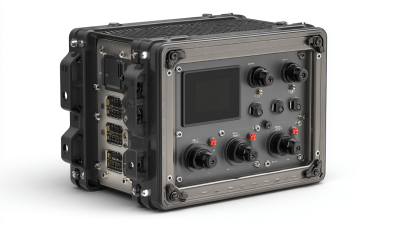
Choosing rack mount computers in 2026 requires more than comparing processor names or purchase prices. A reliable decision begins with the workload, installation environment, maintenance plan, and expected service life. A compact 1U server may fit a crowded cabinet, while a deeper 4U system may provide better airflow, storage capacity, and expansion options. Small details matter.
Michael Dell, founder and CEO of Dell Technologies, once said, “Technology is about enabling human potential.” That principle remains useful when evaluating rack mount computers. The right system should support real operational goals, not simply showcase impressive specifications. Check CPU performance, memory capacity, storage interfaces, network ports, remote management, power efficiency, and warranty coverage. Also measure the rack depth and confirm rail compatibility before ordering.
Physical conditions can change the answer. A dusty workshop, a quiet office, and a temperature-controlled data center need different hardware strategies. Fan noise, heat output, redundant power supplies, and front-access service features may affect daily reliability more than benchmark scores. They are easy to overlook.
Do not trust every specification equally. Vendor testing may use ideal conditions, while your workload may involve constant virtualization, video processing, database queries, or industrial monitoring. I have seen buyers focus heavily on initial cost and later regret limited expansion space. That mistake is avoidable, but not always.
This guide explains how to compare rack mount computers in 2026 with practical, evidence-based criteria. It also examines common purchasing assumptions, because even experienced teams can choose hardware that looks efficient on paper but performs poorly in the rack.
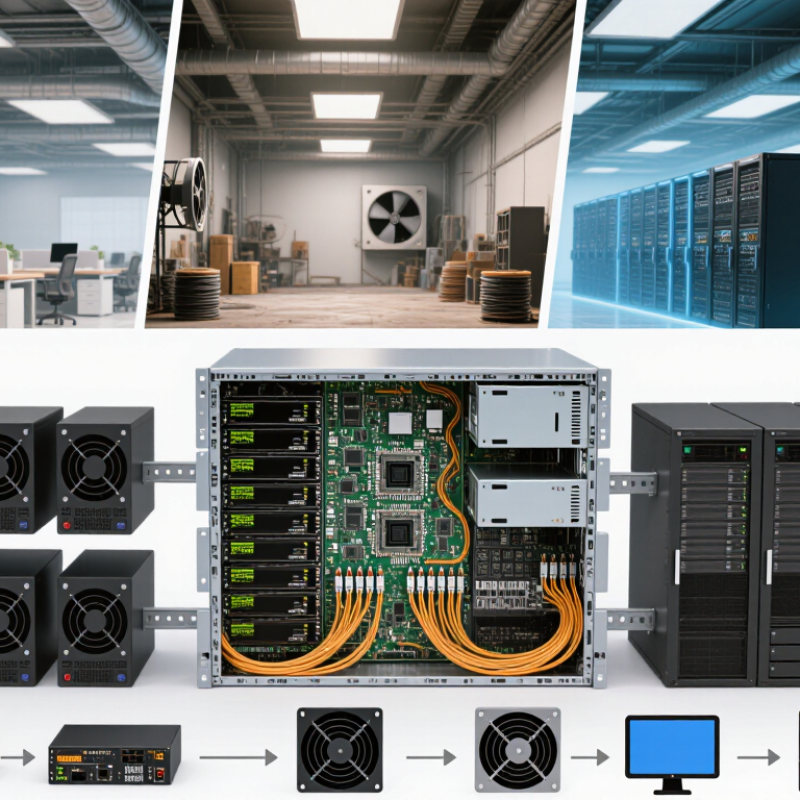
Start with the workload, not the chassis. A database server may need fast storage, abundant memory, and steady random-access performance. Video analysis may require powerful graphics processing and wider airflow clearance. Virtualization workloads usually depend on core count, memory capacity, and reliable network throughput.
Write down daily tasks, peak demand, and expected growth. Record software requirements, operating temperatures, rack depth, power limits, and available network connections. A compact two-unit system may fit today, but expansion could become difficult within twelve months. Check storage endurance and recovery needs, not only advertised capacity. Hardware specifications can look impressive while failing under sustained workloads.
Tips: Run a realistic benchmark before purchasing. Use sample files, peak user counts, and continuous operation tests. Measure noise, heat, response time, and power draw. Leave spare memory slots and drive bays when possible. Small reserves prevent expensive replacements.
I have seen teams select processors by core count alone. That decision caused slow applications because storage latency was the real problem. A written workload profile reduces guesswork, although it will never predict every failure. Review the design with an administrator who understands deployment, maintenance, and security requirements. Reliable choices come from measured evidence, clear limits, and honest assumptions.
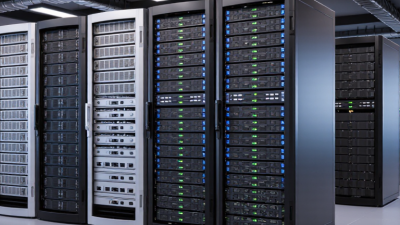
Choosing a rack mount computer in 2026 starts with its physical fit, not its processor. Measure the cabinet’s usable height, width, and depth before comparing specifications. A 1U system saves valuable space, but its compact cooling design may produce more fan noise. A 2U or 4U chassis usually offers better airflow, expansion room, and easier maintenance. Check the rack’s mounting standard and confirm that the included rails match its post spacing.
Depth is often overlooked. Measure from the front mounting posts to the rear door, then reserve space for power plugs, network cables, and airflow. A computer that technically fits may still block the cabinet door. Leave several centimeters behind the chassis when possible. Weight matters too. A fully populated system can strain weak rails or an uneven floor. I once focused on height and missed cable clearance; the installation worked, but servicing became awkward.
Tips: Create a simple cabinet sketch before ordering. Mark each device’s height in rack units. Compare chassis depth with rail adjustment ranges. Confirm front-to-back airflow direction. Keep heavier systems lower. If your measurements are close, choose more clearance rather than forcing a tight installation. Specifications can be incomplete, so verify dimensions with technical drawings or a supplier’s engineering team.
How to Choose Rack Mount Computers in 2026?
Processor choice should match the workload, not just the highest core count. For virtualization, simulation, and analytics, multiple cores improve parallel processing. For database tasks, strong single-core speed can matter more. Check sustained performance under heat, because short benchmark bursts can mislead. A rack computer running at 70% load all day needs dependable cooling and power delivery.
Memory deserves careful planning. Start with the software’s recommended capacity, then add room for growth. Error-correcting memory is valuable for systems that must protect data from random faults. Storage should combine speed and resilience. Solid-state drives reduce access time, while redundant storage protects against one drive failing. Do not treat backups as optional. They solve a different problem.
Tips: Leave spare memory slots. Measure real workloads before buying. Ask for tested thermal data. Expansion also affects the future. Select enough network, storage, and accelerator slots for likely upgrades. Physical depth and rail clearance can become annoying surprises in crowded cabinets. I have seen a powerful system underperform because airflow was blocked by poor cable routing. That mistake is easy to repeat. Review noise, remote management, warranty terms, and replacement procedures with your technical team. A perfect specification sheet may still fail your actual room, budget, or maintenance habits.
A practical comparison of common rack-mount configurations for virtualization, data services, storage, networking, and accelerated workloads.
| Configuration Profile | Typical Chassis | Processor Options | Memory Capacity | Storage Options | Expansion Options | Best Suited For | Main Trade-Off |
|---|---|---|---|---|---|---|---|
| Compact General-Purpose | 1U rack chassis | 1 processor socket; approximately 8–32 cores; standard server instruction support | 32–256 GB ECC memory; commonly 4–8 DIMM slots | 2–4 hot-swap bays for 2.5-inch drives; optional boot SSDs; RAID support may be available | 1–2 low-profile PCIe slots; dual network ports are common | Web services, edge applications, lightweight virtualization, and branch-office workloads | Limited internal space, memory capacity, and full-height expansion |
| Balanced Virtualization | 1U or 2U rack chassis | 1–2 processor sockets; approximately 16–64 total cores; hardware virtualization support | 128 GB–1 TB ECC RDIMM or LRDIMM; 8–24 DIMM slots | 4–12 hot-swap bays; NVMe or SAS/SATA options; hardware or software RAID | 2–6 PCIe slots depending on chassis height; redundant network adapters supported | Virtual machines, databases, application servers, and consolidated business workloads | Higher power consumption and cooling requirements than compact systems |
| High-Memory Compute | 2U rack chassis | 1–2 processor sockets; approximately 32–128 total cores; high memory-bandwidth platforms | 512 GB–4 TB ECC memory; 16–32 DIMM slots; memory-channel population is important | 4–16 drive bays; NVMe, SAS, or SATA combinations; dedicated boot device options | 3–8 PCIe slots; room for high-speed networking or storage adapters | Large databases, in-memory analytics, virtualization clusters, and scientific workloads | More expensive memory, greater heat output, and stricter rack power planning |
| Storage-Dense | 2U or 4U rack chassis | 1–2 processor sockets; approximately 16–96 total cores; optimized for balanced compute and I/O | 128 GB–2 TB ECC memory; expandable for caching and storage services | 12–36 or more hot-swap bays; 2.5-inch or 3.5-inch drives; NVMe, SAS, and SATA support varies | 2–7 PCIe slots; storage controllers, host bus adapters, and high-speed network cards | File servers, backup repositories, object storage, media archives, and software-defined storage | Drive density can reduce airflow and leaves less room for large expansion cards |
| Accelerated Compute | 2U or 4U rack chassis | 1–2 processor sockets; approximately 32–128 total cores; CPU and accelerator workloads | 256 GB–2 TB ECC memory; additional accelerator memory may be available | 4–12 drive bays; high-performance NVMe storage is commonly preferred for local datasets | 4–10 full-height, full-length PCIe slots; accelerator compatibility, power, and cooling must be checked | AI inference, machine learning, scientific computing, rendering, and video processing | Highest power, noise, thermal, and rack-circuit requirements |
| Network and Edge Appliance | 1U rack chassis | 1 processor socket; approximately 4–24 cores; emphasis on low latency and reliable operation | 16–128 GB ECC memory; moderate upgrade headroom | 1–4 SSD bays; compact boot storage; limited bulk-storage capacity | 2–6 network or communication interfaces; low-profile PCIe expansion is typical | Firewalls, routers, network monitoring, industrial control, and remote locations | Less suitable for large databases, dense virtualization, or high-capacity storage |
Selection Checklist for 2026
Note: Actual capacity and expansion limits depend on the selected motherboard, processor platform, chassis height, riser design, drive backplane, power supply, and cooling configuration.
Choosing rack mount computers in 2026 requires more than counting cores. Cooling, power, reliability, and remote management often decide real performance. In a crowded rack, measure the inlet temperature first. A short airflow path can still create hot spots near storage drives. Select systems with clear front-to-back airflow and adjustable fan control. Loud fans are not always a failure, but constant maximum speed deserves investigation.
Power planning needs practical measurement. Check peak draw, not only the advertised average. Leave headroom for additional drives, memory, and seasonal temperature changes. I once underestimated startup demand and triggered a protective shutdown. That mistake was avoidable. Use suitable power distribution, redundant supplies, and documented load limits. Reliability also depends on error-correcting memory, replaceable fans, accessible filters, and tested recovery procedures. A specification sheet cannot reveal every maintenance problem.
Tips: Record temperature and power readings during normal and peak workloads. Test remote console access before installation. Confirm secure out-of-band management, alert logs, firmware controls, and multi-factor authentication. Keep management traffic on an isolated network. Practice a failed-disk and failed-power-supply response. Remote access saves travel, but it can create dangerous assumptions. I still prefer a physical inspection after unusual alerts, because sensors sometimes miss dust buildup or a loose cable.
How to Choose Rack Mount Computers in 2026?
Compatibility is more than a matching rack width. Verify chassis depth, rail clearance, airflow direction, power connectors, operating-system support, and expansion limits. A 2U computer may fit physically but fail thermally in a dense cabinet. Confirm PCIe requirements, memory capacity, remote-management functions, secure boot, and TPM support before purchasing. My own deployment reviews have found that overlooked rail depth can delay installation by days. Small details matter.
Security and serviceability should be tested, not assumed. IBM’s Cost of a Data Breach Report 2024 reported a global average breach cost of $4.88 million. Select systems with firmware controls, role-based administration, audit logs, and replaceable storage. Front-access drives, tool-less covers, labeled cables, and hot-swappable fans can reduce maintenance time. Uptime Institute’s 2024 Global Data Center Survey found that 54% of respondents reporting a serious outage faced costs above $100,000. Downtime changes the calculation quickly.
Tips: Request a thermal test report and a measured power profile. Compare warranty length, spare-part access, technician labor, software licensing, energy use, and disposal costs. Calculate total cost over five years, not only the purchase price. Ask for failure-replacement procedures. A perfect checklist does not exist. Recheck assumptions with the installation team.
Verify compatibility, security, serviceability, and total cost before deployment.
Confirm the 19-inch rack width, available rack units, mounting depth, rail type, airflow direction, and power connectors.
Prioritize secure boot, TPM 2.0 support, firmware controls, physical access protection, and regular security updates.
Check tool-less access, replaceable storage and fans, front-access diagnostics, hot-swap options, and spare-part availability.
Evaluate purchase price together with energy use, cooling, software, maintenance, downtime, warranty, and replacement costs.
The chart uses the standardized rack-unit height: 1U equals 44.45 mm. A 19-inch rack refers to the standard equipment mounting width, while the required cabinet depth and rail capacity must be verified separately.