Choosing an advantech medical tablet in 2026 means matching the device to the work, not just comparing screen sizes. Clinical teams may need a compact handheld for bedside checks, a larger tablet for reviewing charts, or a mobile workstation-style device for longer rounds. A bright display, responsive touch input, and easy-to-clean surfaces can matter when staff move between rooms. So can battery life. A tablet that looks capable on a product page may be less useful after a full shift.
This guide introduces the main tablet types and the practical differences buyers should assess. It considers portability, mounting options, connectivity, camera use, and compatibility with clinical software. Those details affect whether a device suits patient-room documentation, ward rounds, or shared clinical stations. Check each model’s current specifications and regional availability before making a shortlist; configurations and support can change. Do not assume every product meets the same clinical requirements. That matters. A familiar brand name alone is not enough. The right choice depends on the workflow, cleaning routine, accessories, and local IT policies. Some details are easy to overlook, especially how a device feels in one hand after repeated use. This overview offers a starting point, not a substitute for testing devices in the setting where staff will use them.
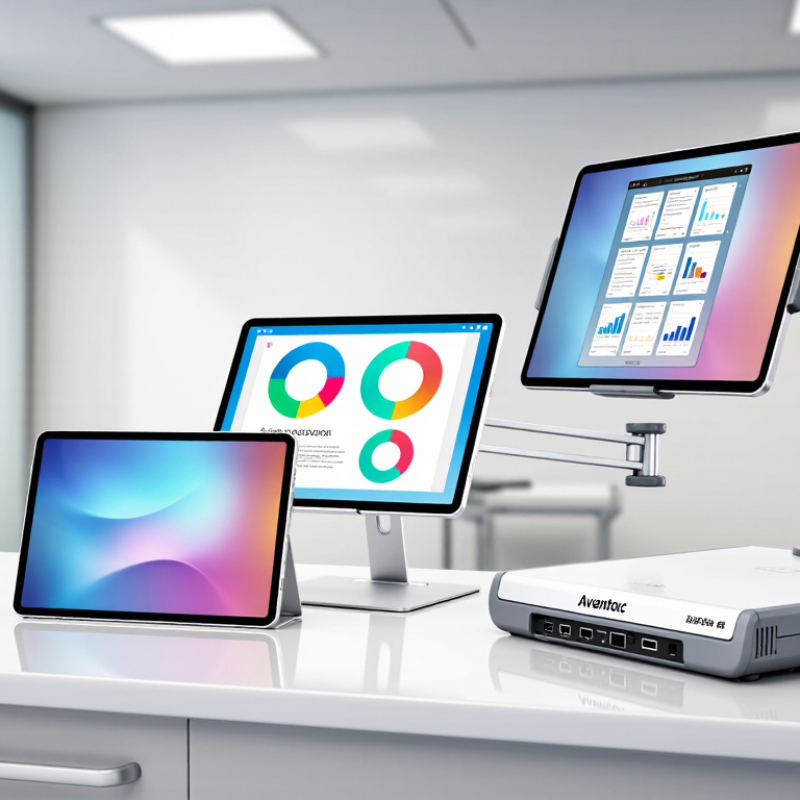
Medical tablets in 2026 can be classified by how they are carried, held, or mounted. Compact handheld units suit bedside checks and quick chart updates. Larger slate-style tablets offer more screen space for reviewing images or entering notes. Convertible designs add a keyboard for longer documentation. Cart-mounted configurations keep a display and power supply close during rounds. These are practical categories, not strict technical definitions.
IEC 60601-1 is a separate classification question. It addresses basic safety and essential performance for medical electrical equipment. A tablet’s shape does not establish compliance. Check the exact model’s documentation for its intended medical use, applicable standard edition, and test or certification details. Confirm whether accessories, charging equipment, and connected systems are included in the stated assessment. Details matter.
For selection, match the form factor to the task, cleaning routine, and clinical environment. Check screen readability under bright room lights, grip comfort with gloves, and how securely the unit mounts to a cart. A device described as “medical grade” may still need closer review; the phrase alone tells you little. I would keep the category labels simple, but real workflows often blur them. A convertible tablet can be handheld one moment and cart-based the next.
For point-of-care work in 2026, handheld clinical tablets generally fall into compact, mid-size, and larger-screen types. Compact units are easier to carry between beds and fit into a coat pocket or small cart tray. Their trade-off is a tighter display, which can make reviewing a medication list or entering notes slower. Small can feel cramped.
Mid-size tablets often balance one-handed movement with enough screen space for vital signs, patient records, and barcode scanning. Check whether the scanner, camera, and charging connection remain accessible when a protective case is fitted. A device that works well at a desk may be awkward beside a patient’s bed. Grip matters, especially during long rounds.
Larger handheld tablets make charts and clinical images easier to view, but added weight can tire the wrist and complicate quick transfers. For shared care areas, compare screen readability under bright lighting, battery life across a full shift, and how easily the surface can be cleaned according to facility procedures. Specifications help, but they do not show how a tablet feels after hours of use. I would test it with gloves and the actual clinical software before choosing; that detail is easy to overlook.
| Device Type | Typical Screen Size | Portability | Point-of-Care Strengths | Best-Fit Clinical Work | Key Trade-Offs | Selection Checks |
|---|---|---|---|---|---|---|
| Pocketable clinical handheld | Approximately 5–6 inches | Highest; designed for one-handed use and frequent movement | Quick access to patient lists, messaging, task updates, and simple documentation; easy to carry during rounds | Bedside task checks, medication workflow prompts, patient identification, and short notes | Smaller screen and keyboard can make long chart reviews or detailed data entry less comfortable | Check screen readability, one-handed ergonomics, battery life across a shift, and compatibility with required clinical applications |
| Compact handheld tablet | Approximately 7–8 inches | High; generally suitable for carrying between rooms | More screen space for forms, lists, and clinical records while remaining relatively easy to hold | Point-of-care documentation, reviewing orders, recording observations, and patient education | Less comfortable for extensive typing than a larger tablet; weight and grip vary by design | Compare device weight, screen brightness, touch response with gloves, and available protective accessories |
| Rugged handheld tablet | Usually approximately 7–10 inches | Moderate to high; reinforced construction may add bulk | Designed to better withstand demanding work environments; some configurations offer integrated barcode scanning | Patient and specimen identification, mobile rounds, and workflows in busy or shared clinical areas | May be heavier or thicker than a standard tablet; ruggedness and scanner options differ by model | Verify independently documented drop, ingress-protection, cleaning-agent, and scanner specifications for the exact configuration |
| Large-screen handheld tablet | Approximately 9–11 inches | Moderate; easier to use with two hands or a stand | Improves visibility of detailed charts, multi-column forms, images, and patient education material | Bedside chart review, care-plan discussion, and workflows requiring more on-screen information | Less convenient for one-handed use and may be harder to carry continuously during rounds | Assess grip comfort, mounting options, screen visibility under ward lighting, and whether the larger display fits the workflow |
| Detachable tablet with keyboard | Commonly approximately 10–13 inches | Moderate; portable, but less suited to continuous one-handed use | Supports longer text entry and more desktop-like clinical application workflows; keyboard can be removed when needed | Extended documentation, reviewing complex records, and mobile work that includes substantial typing | Keyboard and stand add parts to carry; typically less convenient for quick bedside interactions | Check keyboard cleaning guidance, attachment stability, device weight with accessories, and wireless network coverage |
Comparison note: These are general device categories, not specific product specifications. Screen sizes are indicative category ranges; actual weight, durability, battery performance, scanning, cleaning compatibility, and clinical-system support vary by model and configuration. Confirm requirements with the relevant clinical, IT, infection-prevention, and procurement teams.
Mobile and bedside tablets serve different hospital workflows, even when their hardware looks similar. A mobile tablet should be light enough for a clinician to carry between rooms and sturdy enough for repeated handling. A hand strap, bright display, and reliable wireless connection can help staff review charts while standing beside a patient. Battery life matters during long shifts, especially when charging opportunities are limited.
Bedside tablets are usually positioned on a cart, wall mount, or adjustable arm. Their larger screens can make medication checks, care plans, and patient education easier to review at the point of care. A stable mount also helps keep the device within reach without taking up the bedside table. Cleaning is essential. Smooth surfaces and accessible ports can make routine wipe-downs simpler, but local cleaning procedures should guide device selection.
The distinction is useful, but not always clean. Some wards need one tablet to move between bedside rounds and shared work areas. That flexibility can create compromises: a larger screen may feel awkward to carry, while a compact model may be harder to read when mounted. Teams should test devices during actual shifts, checking grip, screen visibility, login time, and charging access. Small details matter. A mount that blocks a port or a battery that fades before handover can interrupt care.
For a medical tablet used near sinks, treatment carts, or cleaning stations, enclosure protection deserves close attention. IEC 60529 IP ratings describe resistance to solid objects and water ingress. The first digit covers solids; the second covers water. An IP6X rating means dust-tight under specified test conditions. The X means that part of the rating has not been stated. Small detail, big difference.
Water ratings are not interchangeable. IPX4 addresses splashing water, while IPX5 tests resistance to water jets. IPX7 concerns temporary immersion under defined conditions. An IPX7 result does not automatically establish resistance to jets. Check the exact rating and test documentation, rather than relying on a vague “water-resistant” claim. That matters.
The enclosure is only part of the picture. Check how charging ports, buttons, seams, and accessory connections are protected, especially during routine cleaning. IEC 60529 does not establish resistance to cleaning chemicals, drops, or every clinical disinfectant. A tablet may pass an ingress test yet still be unsuitable for a particular cleaning routine. Match the rating to the room, handling, and cleaning process, and verify those details with the supplier. Ratings help, but they are not the whole answer.
By 2030, one in six people worldwide will be aged 60 or older, according to WHO projections. This growing need makes connected-care tablets useful when they support clear communication and practical clinical workflows. Common types include bedside tablets for viewing care plans, rugged mobile tablets for staff moving between rooms, and telehealth tablets for consultations at home. Each serves a different setting. A tablet should fit the task, not simply add another screen.
For older adults, readable text, simple navigation, clear audio, and stable video calls can make remote appointments easier to use. In hospitals and care facilities, staff may value a bright display, long battery life, easy-to-clean surfaces, and reliable access to approved clinical systems. These features still need local testing. A device that works well at a desk may frustrate a nurse wearing gloves or a patient with limited dexterity. Technology helps, but it cannot replace attentive care.
Tips: Test devices with older users and frontline staff before choosing a type. Check cleaning compatibility, accessibility settings, connectivity, and integration with existing workflows. Ask what happens when Wi-Fi drops. Small details matter. A tablet alone cannot solve staffing gaps or make a confusing care process clear.