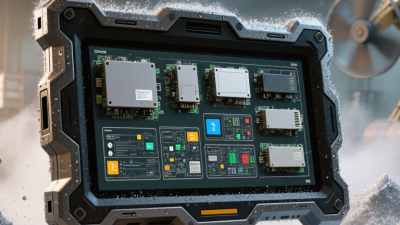
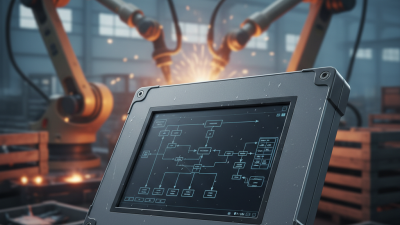
A rugged panel computer is built for places where ordinary screens struggle: dusty production lines, vibrating vehicle cabins, and washdown areas with frequent temperature changes. Its sealed front, reinforced housing, and industrial-grade components help it keep working through conditions that can shorten a consumer computer’s life. The difference is practical. A display that stays readable beside a running machine can help operators spot alarms without stepping away from the process.
Quality-management expert W. Edwards Deming warned, “A bad system will beat a good person every time.” His point applies to equipment selection: a durable computer cannot fix poor workflow, but the right device can remove a weak link. Look beyond the word “rugged.” Check the operating-temperature range, ingress protection, screen brightness, touch response with gloves, mounting options, and available service support. Ask how the unit behaves after years of heat and vibration, not just during a showroom demo.
The choice still deserves scrutiny. A rugged panel computer may cost more upfront, and some models offer features a facility will never use. That is worth admitting. Match specifications to the actual site, then test the computer with real gloves, real lighting, and real data connections. Small details matter. A glare-heavy screen can frustrate operators, even when its enclosure is tough. The best fit is not always the most rugged model; it is the one that reliably supports the work.
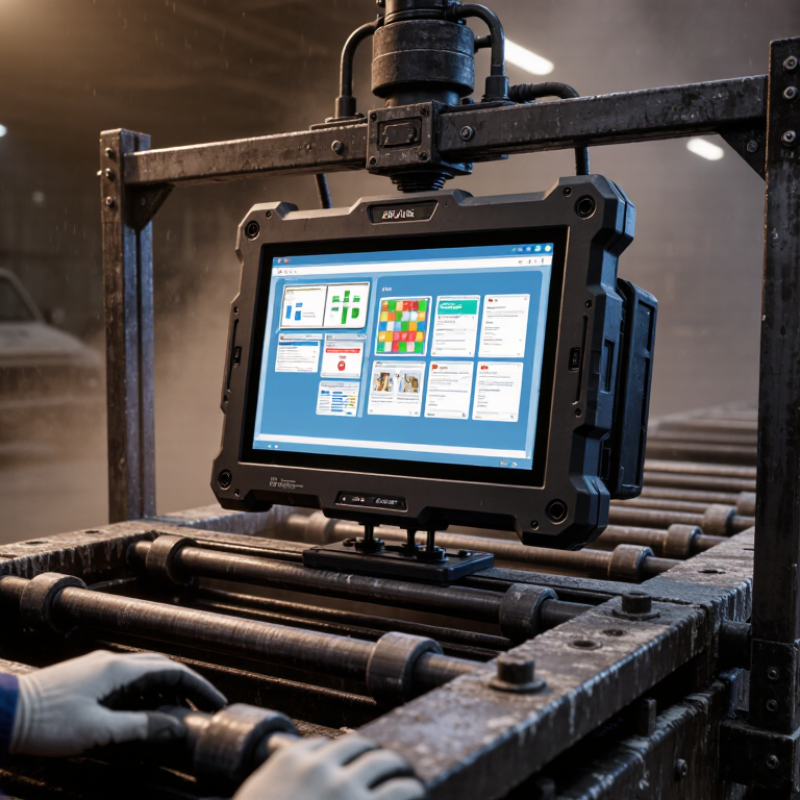
A rugged panel computer combines a display, computer, and often a touchscreen in one industrial-ready unit. Its enclosure helps protect internal components from dust, moisture, vibration, and accidental contact. The exact protection varies by model, so “rugged” alone does not specify what a unit can withstand.
Look beyond the casing. Check the stated ingress rating, operating temperature range, screen brightness, and supported mounting options. In a workshop, bright overhead lights can make a screen hard to read, while oily gloves may affect touch response. Sealed connectors and a fanless design can also help in dusty or vibration-prone areas. Still, no panel computer suits every environment. A high protection rating cannot fix poor cable routing or an unsuitable mounting position.
Tips: Match specifications to the actual site conditions. Check temperature extremes, cleaning methods, vibration, and available space before choosing a unit. Ask how the touchscreen performs with the gloves operators really wear. Small details matter. And ratings can be easy to misread; confirm what each test covers rather than relying on a general ruggedness claim.
Industrial environments challenge computers in ways an office never reveals. A panel mounted beside a packaging line may face constant vibration, oily fingerprints, airborne flour, and daily washdowns. Equipment near a loading bay can encounter freezing mornings, hot afternoon sun, and condensation during temperature changes. These conditions may loosen connectors, cloud displays, or make ordinary touchscreens miss input. Small details matter.
Rugged design is valuable where equipment runs continuously, operators wear gloves, or repair access is limited. Check the operating-temperature range, front-panel sealing, vibration tolerance, and connector protection against actual site conditions. A sealed screen alone does not protect exposed rear ports. Nor does a tough enclosure guarantee readable text in glare. Test the computer at its intended mounting angle, using the real cleaning routine and work gloves. That step is easy to skip. It can reveal awkward menus or touch delays that a specification sheet may not show. No enclosure is invincible. Confirm that cleaning agents suit the materials, and include periodic inspection in the maintenance plan.
| Industrial Condition | Typical Challenge | Rugged Design Feature to Consider | Why It Matters | Example Applications |
|---|---|---|---|---|
| Dust, chips, and airborne particles | Particles can enter openings, obstruct cooling, or interfere with connectors and controls. | Sealed enclosure and an appropriate IP rating; fanless construction where suitable. | Ingress protection helps limit access by solids and water under specified test conditions. Select the rating for the actual installation and cleaning method. | Woodworking, metal machining, packaging lines, and bulk-material handling. |
| Water spray and washdown | Hoses, splashes, or frequent cleaning can expose the computer to water and cleaning residues. | Sealed front panel, protected I/O connections, corrosion-resistant materials, and a rating suitable for the washdown exposure. | Protection depends on the complete installed system, including connectors, cable glands, mounting, and enclosure seals. | Food processing, beverage production, and pharmaceutical manufacturing. |
| Vibration and mechanical shock | Machine movement or vehicle travel can loosen connections, damage components, or interrupt operation. | Secure mounting, locking connectors, reinforced construction, and vibration or shock specifications matched to the equipment. | Resistance should be verified against the expected vibration profile and mounting arrangement, rather than inferred from enclosure appearance alone. | Production machinery, material-handling vehicles, and mobile equipment. |
| Wide or changing temperatures | Heat from nearby equipment or cold operating areas can affect display readability and component reliability. | Documented operating-temperature range, suitable thermal management, and a display rated for the installation environment. | Check both operating and storage limits, as well as airflow, sunlight exposure, and heat generated inside the control cabinet. | Outdoor kiosks, unheated facilities, foundries, and equipment enclosures. |
| Electrical noise and power variation | Motors, drives, switching equipment, and unstable supply conditions may disrupt computing or communications. | Industrial power input, suitable grounding, surge protection, and EMC testing appropriate to the installation. | Correct wiring, grounding, and protection are essential; a rugged computer does not eliminate the need for sound electrical installation. | Automated production lines, pump stations, and motor-control areas. |
| Frequent operator interaction | Repeated touch, gloved operation, accidental impacts, or cleaning can wear or damage the interface. | Durable touchscreen, glove-compatible operation where required, protected front surface, and mounting suited to operator access. | Touch performance and cleaning compatibility vary by screen technology and should be checked against the actual gloves and cleaning agents used. | HMI stations, inspection points, and production-floor terminals. |
| Limited maintenance access | Repairs or frequent filter cleaning may be difficult in remote, enclosed, or continuously operating installations. | Fanless or low-maintenance design where appropriate, accessible mounting, and clearly specified service requirements. | Reducing routine service needs can simplify upkeep, but thermal limits and workload must still be considered. | Remote monitoring cabinets, utility sites, and continuous-process operations. |
Selection note: Confirm the computer’s documented environmental ratings and test conditions, and assess the complete installation—including mounting, cabling, power, and cleaning practices—before choosing a model.
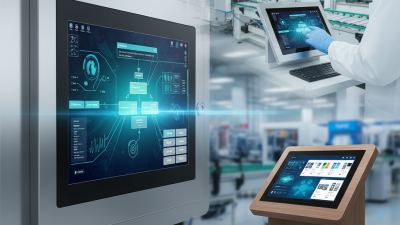
On a production line, a rugged panel computer can bring work instructions, machine status, and operator input together at one station. Beside a conveyor, staff can check a batch or record a quality result without walking to an office terminal. That saves steps. A clear touchscreen also helps operators move between forms, alarms, and equipment readings, though screen size and glove compatibility should be tested in the actual work area.
These computers can connect to sensors, scanners, controllers, and local networks, depending on their ports and software. A sealed enclosure can help resist dust or splashes, while a wide operating-temperature range may suit sites with changing conditions. Check the specifications against real exposure; “rugged” alone says little about a particular installation. In practice, reliable workflows also depend on readable displays under bright lights, stable mounting, and a power supply that can handle brief interruptions. Setup takes planning. Operators may still find data entry awkward if menus add extra taps, and integration with older equipment can take longer than expected. Pilot the system on one station, observe the shift routine, and adjust the interface before wider deployment.
Ingress protection ratings help indicate how well equipment is protected from dust and water in industrial environments.
The chart shows IEC 60529 code digits, not percentages or ratings for specific computers. The first digit describes protection against solids; the second describes protection against water. For example, IP65 is dust-tight and protected against water jets, while IP67 is dust-tight and protected against temporary immersion. Select a rating that matches the conditions of your workflow.
A rugged panel computer combines a screen and computing hardware in one enclosure, designed to tolerate vibration, dust, and frequent cleaning.
Standard industrial computers often separate the computer from its monitor, which can make upgrades and component replacement easier. That difference matters on a factory floor. A sealed panel mounted beside a conveyor may reduce exposed cables and keep the operator interface close to the process. Check the specified ingress rating, though; “rugged” alone does not describe what the unit can withstand.
In practice, rugged models may use fanless cooling, reinforced housings, and touchscreens that work with gloves. These features can help where airborne debris or machine vibration is common.
Still, rugged is not automatically better. A standard computer inside a protected control cabinet may suit a clean, stable workstation and offer more flexibility at a lower initial cost. Not always.
Compare operating temperature, mounting options, service access, and the screen’s readability under factory lighting.
One detail is easy to overlook: a touchscreen that responds well to bare fingers may feel slow with thick gloves. Test the interface in the actual work area before choosing.
A rugged panel computer should fit the actual process, not just look durable on a specification sheet. Start with the environment: dust, oil mist, washdown, vibration, and temperature swings. For a packaging line, a sealed front and a readable screen may matter more than extreme shock resistance. Check the stated ingress rating against IEC 60529, and confirm whether it applies to the whole unit or only its front panel. Small distinction. It matters.
Then match the display, touch method, and interfaces to daily work. Operators wearing gloves need a responsive touch screen; bright factory lighting calls for adequate screen brightness. Confirm support for the required Ethernet, serial, and fieldbus connections, plus mounting space and power limits. Deloitte and MAPI’s 2024 Smart Manufacturing and Operations Survey found that 86% of surveyed manufacturers saw smart manufacturing as a major competitiveness driver over the next five years. That makes reliable connectivity and long-term software support practical selection criteria, not extras. Ask about repair options and spare-part availability before purchase. A fanless design can reduce dust intake, but may still need careful thermal planning inside a sealed cabinet. No spec sheet tells the whole story. Test the computer with the real gloves, applications, and ambient heat; one awkward interface can slow an entire shift.