How to Choose the Best Rugged Panel Computer?
Choosing a rugged panel computer is not simply a matter of comparing screen sizes or processor speeds. In a factory, a display may face metal dust, oil mist, vibration, gloves, and sudden temperature changes. A device that performs well in an office can fail beside a stamping machine.
Hannes Niederhauser, CEO of Kontron and an established industrial-computing executive, has emphasized a practical principle: “Industrial technology must deliver reliable performance in demanding environments.” That idea should guide every purchasing decision. Reliability is not a decorative feature. It affects production time, maintenance costs, and operator safety.
This guide examines the details that are easy to overlook. It considers enclosure protection, touchscreen behavior, sunlight readability, operating temperature, mounting options, processor performance, and long-term support. It also compares fanless designs, sealed connectors, and protection ratings such as IP65. Small details matter.
A careful buyer should begin with the worksite, not the product brochure. Will operators wear thick gloves? Will condensation appear overnight? Is the computer mounted near moving equipment? These questions reveal the real requirements.
There is no perfect model.
A panel computer with excessive processing power may waste budget. A cheaper model may create expensive downtime later. My own judgment may also change when installation conditions differ. That is why this article weighs practical trade-offs, not just impressive specifications.
How to Choose the Best Rugged Panel Computer?
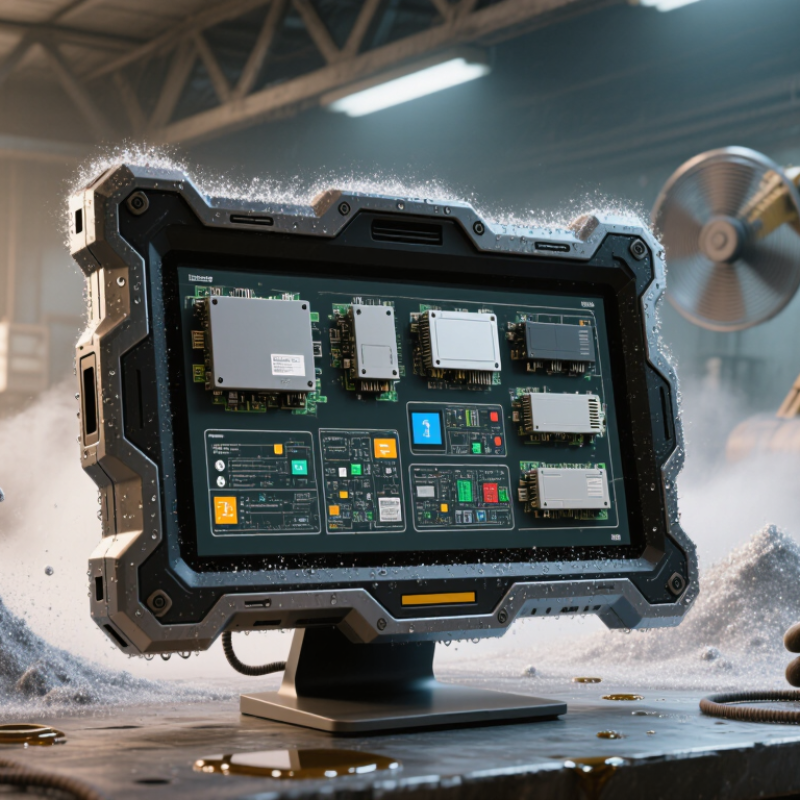
Rugged panel computers combine a display, processor, and industrial enclosure in one compact unit. They are built for demanding locations where ordinary office computers may fail. Dust, vibration, moisture, temperature changes, and frequent cleaning can shorten equipment life. A sealed front panel, strong mounting system, and suitable ingress protection rating matter greatly. Touchscreens should remain readable under bright lighting and responsive with gloves or wet fingers.
These computers support many industrial applications. Factory operators use them to monitor production lines, inspect alarms, and enter maintenance records. Warehouses use them for inventory control and barcode workflows. Transport facilities may display schedules, loading data, or equipment status. Food processing areas often require smooth surfaces and regular sanitation. Medical and laboratory environments may need fanless designs, clear displays, and strict cleaning compatibility. Yet, real conditions are rarely perfect. A screen that works well indoors may become difficult to read beside a loading dock.
Tips: Check temperature ranges, screen brightness, touch technology, mounting space, available ports, and long-term service support. Test the computer with actual gloves, lighting, and software before installation. Do not rely on specifications alone. Small details, such as cable placement, can affect daily reliability. During evaluation, leave room for mistakes; operators may use the panel differently than expected. A slightly larger display can improve accuracy, but it may complicate mounting and increase costs.
Environmental conditions should guide the protection rating, not marketing language. A panel computer near a cutting line faces vibration, metal dust, heat, and accidental impacts. Outdoor equipment may also experience rain, glare, freezing temperatures, and sudden thermal changes. Start with measurements from the installation site. Record temperature peaks, humidity, dust type, cleaning methods, and vibration levels.
Protection ratings need careful interpretation. The IP code, defined by IEC 60529, indicates resistance to solids and water. IP65 can resist dust and water jets, while IP67 supports temporary immersion under specified conditions. Higher numbers are not automatically better.
Frequent high-pressure washing may require a different enclosure design, cable sealing, and mounting method. A rating can fail if the cabinet door is misaligned.
Small details matter.
Consider chemicals, sunlight, and airflow around the computer. Some cleaning agents can damage seals or touchscreen surfaces over time. Direct sunlight may raise the internal temperature beyond the published operating range.
In my field evaluations, cable glands and exposed connectors often created more risk than the main enclosure. That finding is easy to overlook.
Test the complete installation, including brackets, cables, gloves, and display visibility. A touch panel may work perfectly indoors but become unreliable with wet gloves or heavy condensation.
Review the manufacturer’s test conditions, then compare them with your actual site records. Don't assume laboratory ratings represent every installation.
A rugged panel computer should match the workload, not simply look strong. Choose the display first. For a sunlit factory floor, 800 nits or more improves readability. Projected capacitive touch supports gloves, but thick gloves may reduce accuracy. Check IP65 protection, viewing angles, and operating temperature. The 2024 Industrial PC Market report projects the sector to grow from about $5.8 billion to $8.4 billion by 2029. That growth reflects wider deployment in demanding environments.
Processor choice depends on software and response time. A dual-core unit may handle dashboards, but machine vision needs stronger multi-core processing. IDC’s 2024 Worldwide Edge Spending Guide forecasts more than $230 billion in global edge spending. Local processing can reduce network delays. Still, over-specifying the CPU increases heat and power use. That trade-off is easy to underestimate.
Tips: Select memory after testing the real application. Eight gigabytes suits basic control screens; 16 GB offers safer headroom. Use industrial-grade solid-state storage for vibration-heavy sites. Choose 256 GB for ordinary logs, or more when video and historical data remain local. Leave expansion space. Storage estimates often ignore five years of accumulated files. Ask for replaceable storage, long-term firmware support, and documented thermal performance. A computer that works perfectly on a clean desk may fail beside a hot motor. Test it there.
The chart presents practical baseline specifications for common deployment environments. Outdoor and vehicle-mounted systems generally require brighter displays, higher processing capability, more memory for demanding applications, and larger solid-state storage for local data collection. Final selection should also consider temperature range, ingress protection, vibration resistance, sunlight readability, and expansion requirements.
Mounting affects cooling, service access, and operator visibility. Panel mounting suits stainless-steel cabinets and shallow control stations. VESA mounting works better on swing arms or machine frames. A 10-degree viewing tilt can reduce glare near windows. Leave space behind the enclosure for airflow and cable bends.
I once underestimated this clearance, and maintenance became unnecessarily difficult. It was a useful mistake.
Connectivity should match the machine, not the sales brochure. The International Data Corporation’s 2024 Worldwide Edge Spending Guide projected global edge spending above 230 billion dollars in 2024. That growth increases demand for local processing and dependable network links. The 2024 Industrial Network Market Shares study from HMS Networks reported Ethernet at roughly 70% of newly installed industrial nodes. Therefore, dual Ethernet ports, isolated serial interfaces, and optional fieldbus support deserve careful review. M12 connectors help resist vibration, while USB ports should remain protected behind a sealed cover.
The operating system determines maintenance habits. Windows-based systems simplify familiar HMI software and commercial drivers. Linux supports customization, containers, and longer control over image deployment. A real-time operating system may suit deterministic control tasks, but it can limit application compatibility. Check update procedures, offline recovery, driver availability, and security support before choosing. IP65 protection does not guarantee reliable operation in heat, condensation, or constant vibration. Environmental testing should reflect the actual cabinet, not an ideal laboratory.
How to Choose the Best Rugged Panel Computer?
Choosing a rugged panel computer starts with the site, not the product brochure. Record dust, washdown pressure, vibration, humidity, and daily temperature changes. An enclosure rated for moisture may still fail when connectors face repeated impact. Inspect cable exits, mounting points, and screen seals before comparing processors. Small weaknesses become expensive. A glove-friendly touchscreen, readable display, and physical controls can reduce operator errors during long shifts. However, every extra feature deserves a maintenance reason.
Durability affects total cost of ownership through uptime, repairs, and replacement planning. Ask how easily technicians can replace storage, memory, cables, and protective glass. Sealed designs protect internal parts, but they can make repairs slower. That trade-off is often overlooked. Review rated operating temperatures, vibration limits, expected service life, and available spare parts. Then estimate the cost of one hour of downtime, including labor, delayed production, and emergency shipping. A cheaper purchase price may look attractive until one failed unit interrupts a critical process.
Maintenance records should guide the final decision. Track screen failures, connector damage, cleaning frequency, and recurring software issues from similar equipment. Also check whether technicians can access diagnostics without removing the entire computer. A spreadsheet helps, but it can miss training time and operator frustration. I would leave room for uncertainty. Real facilities are rarely as clean or predictable as specifications suggest. Choose a system that remains serviceable after dust, gloves, rushed cleaning, and ordinary human mistakes.
Comparison of common rugged panel computer configurations for industrial environments. Cost figures are typical planning ranges in USD and should be validated against the required processor, display size, operating system, storage, connectivity, and service contract.
| Configuration Type | Typical Enclosure Protection | Operating Temperature Range | Vibration and Shock Capability | Cooling and Moving Parts | Expected Service Life | Maintenance Needs | Typical Purchase Price | Estimated 5-Year TCO | Best-Fit Applications | Overall Value Assessment |
|---|---|---|---|---|---|---|---|---|---|---|
| Standard Industrial Panel Computer | Usually IP54 to IP65 on the front panel; rear enclosure protection varies by installation. | Approximately 0°C to 50°C without additional environmental options. | Designed for normal industrial vibration; not intended for severe shock or mobile equipment. | May use a fan; filters and vents require periodic cleaning. | Approximately 5 to 7 years in a controlled industrial environment. | Clean vents and filters every 3 to 6 months; replace fans or storage devices when required. | $1,200–$2,500 | $2,300–$4,800 | Factory floors, control cabinets, packaging lines, and indoor operator stations. | Good initial value |
| Sealed Fanless Industrial Panel Computer | Commonly IP65 at the front and sealed against dust and low-pressure water jets when correctly installed. | Approximately -10°C to 55°C, depending on processor and enclosure design. | Typically rated for continuous industrial vibration and moderate mechanical shock. | Fanless thermal design reduces dust entry and eliminates routine fan replacement. | Approximately 7 to 10 years with suitable thermal management. | Inspect seals, connectors, mounting hardware, and heat-dissipation surfaces once or twice per year. | $2,000–$4,500 | $3,400–$7,000 | Dusty production areas, warehouses, food-processing support areas, and machine control. | Strong balance |
| High-Protection Washdown Panel Computer | Often specified to IP66, IP67, or IP69K when the complete system, cable glands, and mounting method meet the same requirement. | Approximately -20°C to 60°C, subject to the selected configuration and thermal load. | Designed for demanding vibration, frequent cleaning, and higher mechanical stress. | Usually fanless, with sealed connectors and corrosion-resistant enclosure materials. | Approximately 8 to 12 years in a properly maintained installation. | Inspect gaskets, cable glands, touch-screen surface, and corrosion points at least annually. | $3,500–$8,000 | $5,600–$12,000 | Food and beverage production, chemical handling areas, outdoor kiosks, and washdown zones. | Lowest environmental risk |
| Extended-Temperature Rugged Panel Computer | Typically IP65 front protection, with a sealed rear enclosure available on selected designs. | Approximately -30°C to 70°C with an industrial-grade thermal design. | Engineered for transportation, utility, outdoor, and mobile-equipment vibration profiles. | Generally fanless; may include industrial heaters or thermal controls for extreme climates. | Approximately 7 to 10 years, depending on thermal cycling and storage technology. | Check thermal interfaces, enclosure seals, cable connections, and display readability twice per year. | $3,000–$7,500 | $5,000–$11,000 | Outdoor cabinets, utilities, transportation systems, cold storage, and remote monitoring. | Good for climate extremes |
| High-Performance Rugged Panel Computer | Usually IP65 or higher on the front; final protection depends on the complete panel and installation. | Approximately 0°C to 50°C, with higher-performance processors generating more heat. | Suitable for industrial vibration when correctly mounted; additional testing may be required for severe shock. | May require an active cooling system, which increases cleaning and replacement requirements. | Approximately 5 to 8 years, depending on workload, heat exposure, and component availability. | Clean filters, inspect fans, monitor internal temperature, and plan storage or battery replacement. | $3,000–$7,000 | $5,000–$10,500 | Machine vision, advanced human-machine interfaces, data visualization, and edge analytics. | Performance-focused |
TCO basis: The five-year estimates include purchase, typical installation, preventive maintenance, energy consumption, and allowance for component replacement. They exclude software licensing, network infrastructure, taxes, financing, major production losses, and application-specific engineering. IP ratings describe protection against solid particles and water under defined test conditions; the complete installed system must be evaluated, including connectors, cable glands, seals, and mounting hardware.