Request a Quote: Call 781-890-3111

What Is a Rugged Computer and Why Do You Need One?

What Is a Rugged Computer and Why Do You Need One?

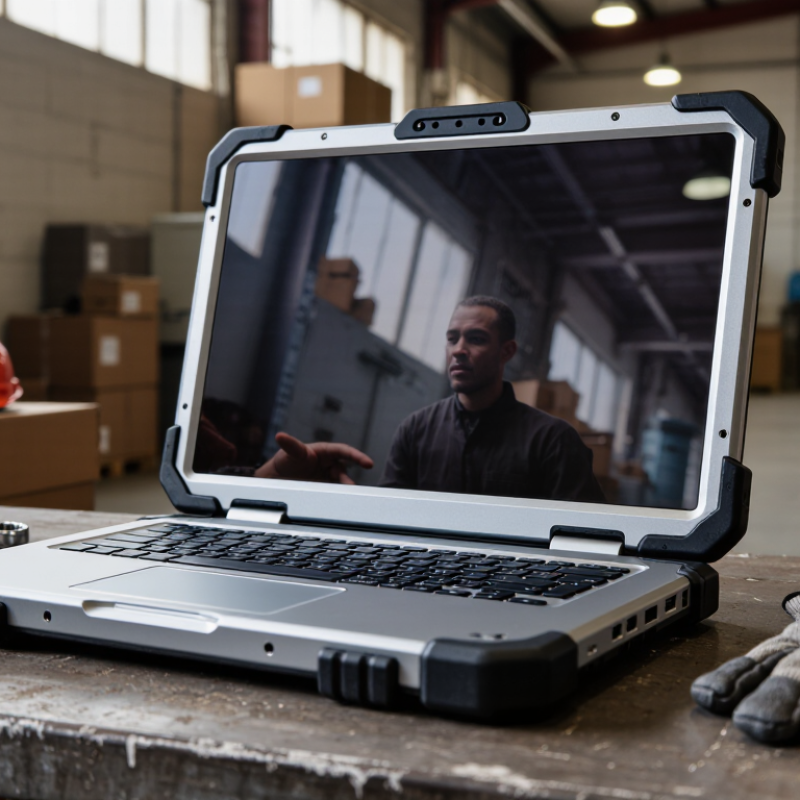
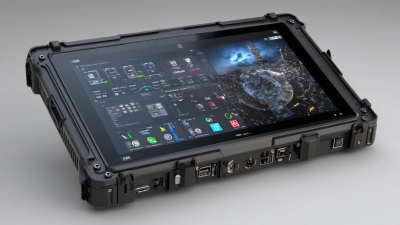
A computer rugged is built for places where ordinary laptops often fail. Think of a construction truck, a dusty warehouse, or a refrigerated loading dock. These machines commonly use reinforced frames, sealed ports, sunlight-readable displays, and shock-resistant storage. Many models also support IP ratings and MIL-STD-810H testing. These labels matter, but they are not magic. Performance depends on the test method, configuration, and daily handling.

Industry data shows why this category continues to grow. MarketsandMarkets forecasts the global rugged electronics market will expand from approximately $2.7 billion in 2023 to $3.9 billion by 2028. VDC Research also identifies rugged mobile computers as important tools for frontline and field workers. Their value is practical: fewer interruptions, faster data capture, and safer access to work instructions. IDC’s research on the connected workforce further links reliable mobile technology with operational efficiency. The figures are useful, although market forecasts can change quickly.

David Krebs, Executive Vice President at VDC Research, has emphasized that “the value of rugged devices is measured by the productivity they enable in demanding environments.” That principle deserves attention. A rugged computer should survive vibration, temperature changes, and accidental drops. It should also remain comfortable to use for long shifts. A heavy device with poor software is still a poor investment. The right choice begins with real conditions: dust, gloves, glare, network coverage, repair access, and user experience. Sometimes, the most rugged-looking option is not the most suitable one.

What Is a Rugged Computer and Why Do You Need One?

What Is a Rugged Computer?

A rugged computer is built to keep working where ordinary computers may fail. It usually has a reinforced enclosure, sealed connections, and protection against dust, moisture, vibration, and accidental drops. Some models operate in very cold or hot conditions. Others include bright, readable screens for direct sunlight.

The word “rugged” does not mean indestructible. Protection levels vary widely. A computer designed for a warehouse may not suit construction sites, vehicles, or outdoor inspections. Check its tested temperature range, drop rating, ingress protection, and vibration resistance before choosing one. Certification details matter more than bold advertising.

Field technicians value practical features. A glove-friendly touchscreen can save time beside machinery. A removable battery can support long shifts. A solid hinge and covered ports may prevent small failures caused by dust or repeated movement. These details sound minor. They are not.

I have noticed one common mistake: buyers focus on the strongest shell and overlook usability. A heavy device can become tiring after hours of carrying. A sealed keyboard may also feel less comfortable. The right rugged computer balances protection, weight, battery life, screen visibility, and repair access. It should match the actual workplace, not an imagined disaster. Good planning still matters.

How Rugged Computers Are Designed for Harsh Environments

A rugged computer is built for places where ordinary electronics quickly fail. It may operate on construction sites, in vehicles, factories, or outdoor inspection areas. Dust, rain, vibration, sudden drops, and extreme temperatures are normal challenges there.

The design begins with a reinforced enclosure, often made from impact-resistant materials. Sealed joints help limit water and dust entry. IP65 or IP67 ratings describe tested protection levels, not unlimited immunity. Some systems also follow environmental testing methods such as MIL-STD-810. However, test results depend on the exact configuration. Good sealing matters.

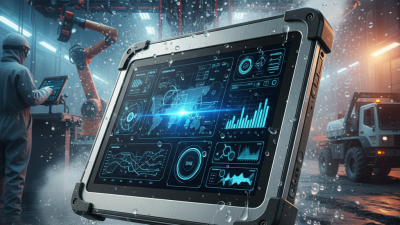
Inside, shock-mounted components reduce damage from vibration and impact. Solid-state storage avoids fragile moving parts. Thermal controls help the computer work in hot vehicles or cold field conditions. A sunlight-readable display improves visibility, while glove-compatible touch input saves time. Physical buttons can be more dependable than touch controls during heavy rain. Ports often include protective covers, though these covers can wear out.

Battery design deserves close attention. Cold weather can reduce operating time, and bright displays consume more power. Field technicians should inspect seals, connectors, and mounting points regularly. Small cracks are easy to miss. A rugged computer is not maintenance-free. It can still fail when users ignore cleaning, charging, or temperature limits. This is where real deployment becomes less perfect than a product specification.

What Is a Rugged Computer and Why Do You Need One? – How Rugged Computers Are Designed for Harsh Environments

Design Dimension Common Test or Protection Reference Typical Rugged-Computer Capability Why It Matters in Harsh Environments
Ingress Protection IEC 60529 IP rating IP65 to IP68 on selected models Sealed enclosures help prevent dust ingress and protect against water jets or temporary immersion, depending on the tested rating.
Operating Temperature Manufacturer environmental specification Approximately −20°C to 55°C; extended ranges may be available Allows reliable operation in outdoor installations, industrial facilities, vehicles, cold storage areas, and hot production environments.
Storage Temperature Manufacturer environmental specification Often approximately −40°C to 70°C when powered off Protects the computer during transport, warehouse storage, and temporary exposure to temperatures outside the normal operating range.
Shock Resistance MIL-STD-810H methods or equivalent internal testing Tested mechanical shock resistance; exact levels vary by configuration Helps the system withstand drops, vehicle movement, equipment impacts, and sudden mechanical forces.
Vibration Resistance MIL-STD-810H vibration methods or equivalent testing Tested for transportation and operational vibration Reduces failures caused by continuous vibration in vehicles, factories, construction equipment, and mobile machinery.
Enclosure Construction Industrial mechanical design practice Reinforced metal or high-strength polymer chassis with sealed joints Provides structural protection against impact, torsion, dust, moisture, and repeated handling.
Cooling System Fanless or protected thermal-management design Passive cooling is common; protected fans may be used for higher-performance systems Fanless designs reduce dust intake and moving-part failures, while optimized heat dissipation supports stable performance.
Display Protection High-strength cover glass and outdoor readability specifications Scratch-resistant display, glove support, and optional high-brightness output Improves usability in direct sunlight, wet conditions, industrial workspaces, and applications requiring protective gloves.
Power Protection Industrial power-conditioning and vehicle-power design Wide-input DC options, surge protection, and backup battery support may be included Helps prevent interruptions caused by voltage fluctuations, electrical noise, vehicle cranking, or unstable field power.
Connectivity Industrial I/O and sealed connector design Ethernet, serial, USB, wireless networking, and optional expansion interfaces Supports legacy equipment, sensors, control systems, barcode devices, cameras, and modern industrial networks.
Maintenance and Serviceability Field-serviceable industrial architecture Replaceable storage, memory, batteries, or modular I/O on selected designs Reduces downtime by allowing maintenance and upgrades at the work site instead of requiring immediate factory service.
Typical Applications Industrial, transportation, utilities, defense, and field-service environments Control stations, vehicle systems, inspection terminals, logistics, and remote monitoring Rugged computers are appropriate when ordinary consumer hardware may be vulnerable to dust, water, vibration, impact, temperature changes, or unstable power.

Note: Protection levels and environmental capabilities vary by model and configuration. An IP rating or military test reference describes specific tested conditions and should not be interpreted as a guarantee of performance in every environment.

Key Features That Define Rugged Computing Devices

What Is a Rugged Computer and Why Do You Need One?

A rugged computer is built for places where ordinary electronics struggle. Construction sites, workshops, warehouses, and field vehicles create constant risks. Dust enters gaps. Rain reaches exposed ports. Vibration loosens weak components.

Key features define real rugged computing devices.

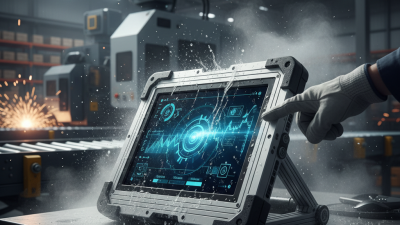
A sealed enclosure usually carries an IP rating for dust and water resistance. Shock-absorbing frames help protect internal parts during drops or vehicle movement. Many devices also meet recognized durability testing standards, although test conditions may not match every workplace. That distinction matters. A computer can survive laboratory testing and still fail after years of neglect. Bright, sunlight-readable displays improve outdoor visibility. Glove-friendly touchscreens support cold mornings and dirty hands. Wide operating-temperature ranges help prevent shutdowns in heat or freezing conditions. Replaceable batteries, protected connectors, and strong hinges can reduce costly interruptions. These details often matter more than impressive specifications.

Tips: Check the IP rating, drop height, temperature range, and battery design before purchasing. Test the keyboard with gloves. Inspect port covers closely. Ask whether parts can be repaired locally.

Security and usability also deserve attention.

Hardware encryption, secure boot, and controlled access help protect operational data. Reliable wireless connections support inspections and live reporting. However, extra protection can add weight, cost, and bulk.

I once underestimated that trade-off. A rugged computer may survive harsh treatment, yet carrying it for eight hours can still frustrate a worker. Evaluate the complete workflow, not just the shell.

Industries and Applications That Use Rugged Computers

What Is a Rugged Computer and Why Do You Need One?

Industries and Applications That Use Rugged Computers

A rugged computer is built for dust, vibration, moisture, temperature changes, and accidental drops. Unlike office hardware, it supports work where repairs may interrupt safety or production. IP ratings describe resistance to water and dust, while MIL-STD-810H testing covers selected environmental stresses. These standards help, but they do not guarantee survival everywhere. A rugged computer is not indestructible.

Logistics and maritime operations use rugged computers for scanning, inventory checks, route updates, and container inspections. UNCTAD’s Review of Maritime Transport reports that over 80% of global merchandise trade by volume moves by sea. At a busy terminal, operators may work beside saltwater, diesel fumes, and vibrating machinery. A readable screen and sealed ports can matter more than high processing power. Battery replacement remains an overlooked issue.

Manufacturing plants deploy rugged devices for machine maintenance, quality records, and warehouse coordination. Utilities use them during substation inspections and field repairs. The International Energy Agency’s World Energy Investment 2024 report expects global energy investment to exceed 3 trillion dollars in 2024, including more than 2 trillion dollars for clean energy. This expansion increases demand for reliable field data collection. Construction crews, emergency teams, agriculture workers, and healthcare staff also benefit from glove-friendly controls and sunlight-readable displays. Yet choosing the toughest specification is not always wise. A device that is too heavy may reduce productivity. Field trials, repair records, and total ownership costs should guide the final decision.

How to Choose the Right Rugged Computer for Your Needs

Choosing a rugged computer starts with the worksite, not the processor. A construction vehicle, cold warehouse, and coastal inspection point create different risks. VDC Research’s 2024 rugged mobile computing analysis identifies durability, lifecycle support, and field usability as major purchasing factors. Market forecasts also show steady demand, although estimates vary. MarketsandMarkets projected the rugged devices market could grow from about USD 3.8 billion in 2024 to USD 5.4 billion by 2029.

Define the exposure precisely. IP65 protects against dust and water jets, but it does not guarantee survival after immersion. Ask for verified testing, not attractive labels. MIL-STD-810H testing can indicate resistance to drops, vibration, humidity, and temperature changes. However, test methods and conditions matter. A computer used inside a vibrating forklift may need stronger mounting than a unit carried between offices. Screen brightness above 700 nits can improve outdoor readability, especially under direct sunlight.

Then calculate the real cost. Check battery replacement, repair time, spare parts, operating-system support, and warranty coverage. Ports should match scanners, cameras, serial equipment, or network adapters already used by technicians. Measure the gloves too. A small keyboard can look efficient but slow every task. IDC’s field-service research has linked mobile access to improved technician productivity, yet results depend heavily on software and training. I would avoid buying the toughest model automatically. Extra weight, heat, and price can become daily penalties. Sometimes, a simpler computer is better.