How to Choose the Best Ruggedized PC for Your Needs?
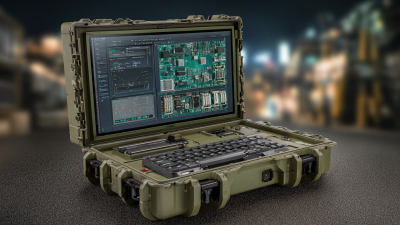
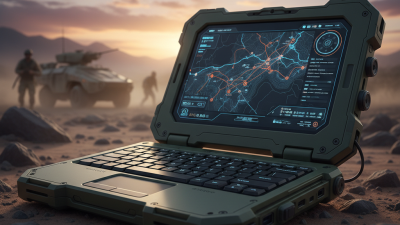
In the fast-paced world of technology, selecting the right ruggedized PC can seem overwhelming. These durable devices are built to withstand harsh conditions. Whether for outdoor work or military applications, their reliability is crucial. However, not all ruggedized PCs are created equal. Some excel in portability while others focus on processing power.
When considering options, it's important to reflect on specific needs. Do you require touch capabilities? What about battery life? These questions shape your decision. Additionally, the environment where the PC will be used plays a big role. Dust, moisture, and extreme temperatures can impact performance.
Understanding your needs is essential. A ruggedized PC may seem like a minor investment, but the wrong choice can lead to major setbacks. Take the time to evaluate and choose wisely. Your work demands a machine that performs well under pressure.
Understanding Ruggedized PCs and Their Importance
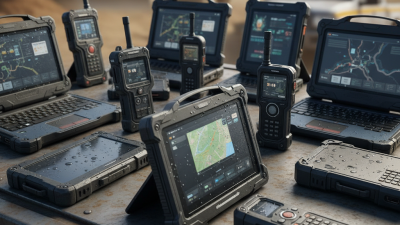
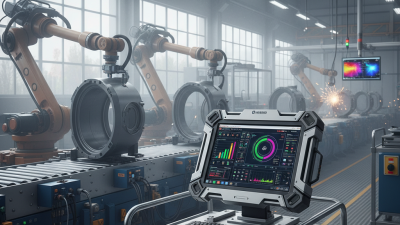
Ruggedized PCs are built to withstand extreme conditions. They are used in industries like defense, construction, and field service. These devices are designed to operate in dusty, wet, and harsh environments. According to a recent report, over 70% of users in demanding industries prefer ruggedized models for their durability and reliability.
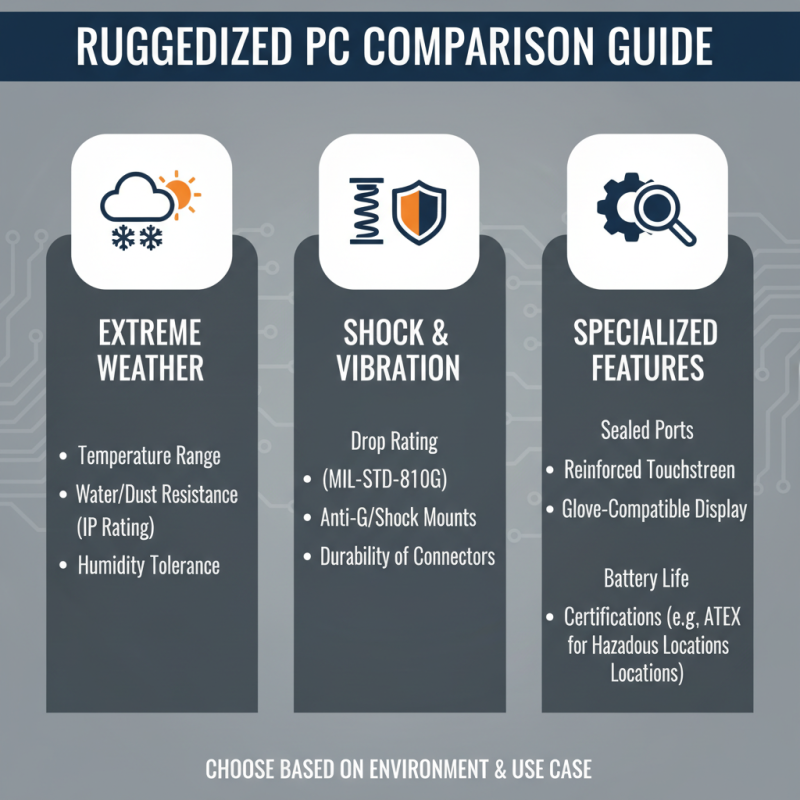
In choosing a ruggedized PC, consider the environment it will be used in. Will it be exposed to high temperatures or water? Make sure to check the IP rating. This affects water and dust resistance. The MIL-STD-810G certification indicates military-grade durability, which can be crucial for safety and performance.
Tip: Assess your actual needs before purchasing. If you require a PC for mild conditions, a rugged device may be overkill. This often leads to unnecessary costs. Always compare specs with your real-world applications. Understand that not all ruggedized PCs are the same. Some may offer sturdiness at the expense of weight and battery life.
Tip: Look for user reviews and case studies to gauge performance under real conditions. This can give insights into shortcomings. It’s essential to reflect on how a device has performed historically, as it may inform your choice about what features truly matter for your needs.
Key Factors to Consider When Choosing a Ruggedized PC
Choosing a ruggedized PC involves considering various essential factors. Start with the environment where you will use the device. Will it face extreme temperatures, vibrations, or moisture? Different ruggedized PCs have different ratings. For fieldwork in tough conditions, look for devices with military or IP ratings.
Tip: Always check the operating temperature range of the PC. A ruggedized PC that claims to withstand heat may fail in real-world conditions.
Next, consider performance needs. Identify the software you will run on the device. Some applications require high processing power. Others may work well with basic specifications. This mismatch can lead to frustration later.
Tip: Think about future needs too. Will you need to upgrade components? A PC that is too rigid won’t allow for modifications. Lastly, assess the weight and size. A compact design can be beneficial for mobility but may compromise performance. Finding the right balance is critical.
Ruggedized PC Features Comparison
Evaluating Performance Specifications and Hardware Options
When choosing a ruggedized PC, evaluating performance specifications and hardware options is crucial. Many users overlook the importance of processing power and graphics capabilities. A recent industry report found that 72% of ruggedized PCs are equipped with multi-core processors, which significantly enhance multitasking. This feature is essential for running complex applications in challenging environments.
RAM is another key specification. Standard ruggedized PCs often come with 8GB of RAM, but options with 16GB are increasingly common. Users should consider their specific needs. For instance, 16GB can handle heavier applications and more data-intensive tasks. However, some users might be reluctant to invest in higher RAM if their tasks are basic, which can lead to regret later.
Storage options also require thoughtful consideration. Many ruggedized PCs offer SSDs for faster data access. Yet, the trade-off may come at a higher cost. Users often underestimate the need for sufficient storage space. An SSD may be faster, but a larger HDD can provide more room for files. Weighing these factors is essential for making a wise decision. Remember, what works for one project may not suit another.
Comparing Different Brands and Models of Ruggedized PCs
When selecting a ruggedized PC, it’s crucial to compare different brands and models. Not all ruggedized PCs are built the same. Some focus on extreme weather resistance, while others excel in shock absorption. Consider the environment and conditions in which the device will be used. For instance, if you're operating in extremely dusty areas, features like sealed ports and reinforced screens are essential.
Tips: Always check the Ingress Protection (IP) rating. A higher rating means better resistance to dust and water. Also, think about the temperature range. Some PCs can function in extreme cold, while others might falter.
Different models offer varying levels of battery life and performance. Assess what is more important for your needs. Do you require maximum processing power, or is battery longevity your priority? Remember, the most expensive option isn’t always the best fit. Look for user reviews and real-world performance data to get a clearer picture.
Tips: Read feedback from professionals who use ruggedized PCs daily. They can provide insights on durability and functionality that specs alone cannot. Don’t ignore after-sales service and warranty options, as repairs may be needed in demanding environments.
Assessing Durability Standards and Environmental Resistance Features
When selecting a ruggedized PC, durability standards are crucial. These devices often undergo harsh conditions. They must resist dust, moisture, and extreme temperatures. According to a report by MIL-STD-810G, a leading military standard, many rugged PCs are tested for vibration and shock resistance. This means they can survive drops from significant heights.
Environmental resistance features play a key role as well. An IP rating indicates how well a device withstands solids and liquids. For example, an IP65 rating means it's completely dust-tight and can handle low-pressure water jets. These specifications ensure devices can function in demanding environments, like construction sites or outdoor settings.
However, not all ruggedized PCs perform equally. Some models may have a higher weight due to extra protective materials. This can affect portability. It's essential to balance ruggedness with usability. Users should consider operational demands. Evaluating these factors will lead to a more informed purchase.
How to Choose the Best Ruggedized PC for Your Needs? - Assessing Durability Standards and Environmental Resistance Features
| Feature |
Description |
Standard/Rating |
Environment Resistance |
| Drop Test |
Ability to withstand falls from a specified height |
MIL-STD-810G |
High |
| Water Resistance |
Protection against water splashes and submersion |
IP65/IP67 |
Very High |
| Dust Resistance |
Protection against dust ingress |
IP65/IP67 |
Very High |
| Temperature Range |
Operating temperature tolerance |
-20°C to 50°C |
Moderate |
| Vibration Resistance |
Ability to withstand vibrations during operation |
MIL-STD-810G |
High |