Request a Quote: Call 781-890-3111

How to Choose the Best Panel PC for Your Needs?

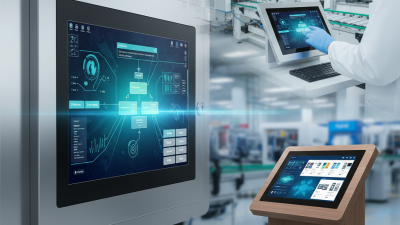
Choosing the right panel PC can be overwhelming. With various options available, it’s critical to understand your specific needs. Panel PCs come with different features, sizes, and performance levels. They serve various purposes, from industrial automation to interactive displays.

Think about where you will use the panel PC. Some are suited for harsh environments, while others are not. You may find certain models easier to use than others. The touch screen quality is vital, as it affects user experience directly.

Consider your budget too. Some panel PCs offer advanced functionalities but at a higher cost. Balancing features with pricing requires careful thought. Each decision can impact your efficiency. Take your time to reflect on your requirements and options; it’s worth it in the end.

How to Choose the Best Panel PC for Your Needs?

Understanding Your Needs for a Panel PC

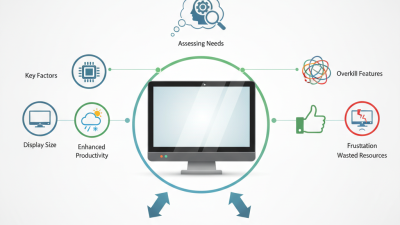
Choosing the right panel PC can be overwhelming. It's essential to understand specific needs before making a decision. According to industry reports, around 40% of users prioritize display clarity. A crisp image enhances productivity, especially in design and industrial applications. Consider the screen size as well. A typical size ranges from 10 to 21 inches, but the most suitable choice depends on your workspace and tasks.

Performance is another crucial aspect. Data shows that nearly 30% of users face slow processing issues. This delay is often due to insufficient RAM or outdated processing units. Selecting a panel PC with at least 8GB of RAM can reduce bottlenecks. Furthermore, assess the operating environment. Many panel PCs are designed for harsh settings. If your workspace has dust, moisture, or temperature extremes, ensure the device can withstand these conditions.

Budget constraints can also be a hurdle. It’s easy to overspend on features that may never be utilized. Analyze the necessary functionalities and avoid unnecessary upgrades. Prioritizing must-have features over nice-to-haves can lead to better long-term satisfaction. Are you making a choice that meets present needs, or are you swayed by flashy specifications? Reflecting on these aspects can guide you toward a more informed decision.
Key Specifications to Consider When Choosing a Panel PC

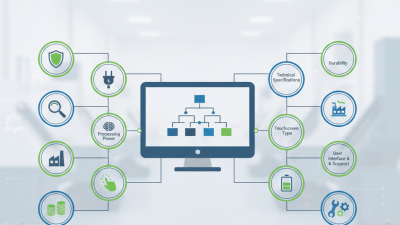
When choosing a panel PC, there are key specifications to consider. Display size is crucial. Larger screens improve visibility, especially in industrial settings. A recent industry report shows that 70% of users prefer screens above 15 inches for better interactivity. Additionally, screen resolution matters. Higher resolutions enhance clarity, which is vital for detailed tasks.

Processing power is another critical aspect. Look for a panel PC with a good CPU and sufficient RAM. Many reports suggest that 8GB of RAM is the standard for smooth performance in most applications. However, some tasks may require more. Users should assess their needs carefully.

Storage options also affect performance. Solid State Drives (SSDs) offer faster access speeds, which can be a game-changer. A study indicates that systems with SSDs boot 30% faster than those with traditional Hard Disk Drives (HDDs). Knowing these details helps in making an informed choice. But, remember that every setup is different. Evaluating the environment and specific use cases will guide the decision.

Panel PC Key Specifications Comparison

This bar chart compares key specifications for choosing the best Panel PC based on processor speed, RAM, storage capacity, screen size, and resolution. These factors are essential to consider to ensure the selected Panel PC meets your operational needs effectively.

Factors Impacting Performance and Usability of Panel PCs

When selecting a panel PC, several factors can impact performance and usability. Display quality plays a crucial role. A recent industry report revealed that 60% of users prefer devices with high-definition screens. This preference stems from the need for clear visuals and better interaction in diverse environments.

Processing power is another key factor. Many panel PCs use multi-core processors. According to studies, devices with at least four cores perform significantly better in multitasking scenarios. Users often find that lagging devices can lead to frustration. A recent survey showed that 30% of users switch brands due to slow response times.

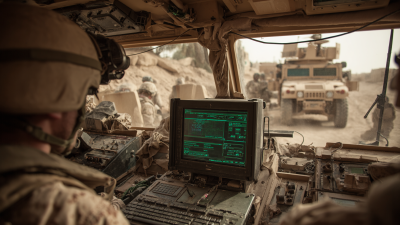
Durability should not be overlooked. Many panel PCs operate in harsh environments. A rugged design can extend the life of a device. However, not all manufacturers provide adequate testing for their products. It's important to verify claims about resistance to dust and moisture. Potential buyers should investigate these details thoroughly. A lack of clarity can lead to poor purchase decisions.

How to Choose the Best Panel PC for Your Needs? - Factors Impacting Performance and Usability of Panel PCs

Factor Description Impact on Performance Usability Consideration
Processor Type The kind of processor used, such as Intel or ARM, affects speed and multitasking. Higher performance processors improve speed and efficiency. User experience can vary based on application demand and processing capability.
Display Size Size of the screen, often measured in inches diagonally. Larger displays can show more information but may require more resources. Affects visibility and user interaction; larger screens can enhance usability.
Operating System The OS can be Windows, Linux, or Android, influencing software compatibility. Different OSs have varying resource requirements affecting performance. Familiarity with the OS can ease training and daily use for users.
RAM Amount of memory available for applications and processes. More RAM allows for better multitasking and performance with demanding applications. Insufficient RAM can lead to slower performance and user frustration.
Storage Type Types include SSD vs. HDD, impacting speed and reliability. SSDs offer faster data transfer rates compared to traditional HDDs. User experience is enhanced with quicker boot and load times.
Connectivity Options Includes USB, HDMI, Ethernet, and wireless capabilities. More connectivity options allow for versatile use and integration in various setups. Ease of connecting peripherals can significantly improve user workflow.

Comparing Different Brands and Models of Panel PCs

Choosing the right panel PC can be challenging. With numerous brands and models available, it’s essential to compare their features. Market research indicates that the global panel PC market was valued at approximately $6.84 billion in 2021 and is expected to grow at a CAGR of around 9.3% from 2022 to 2030. This indicates a vibrant and evolving technology landscape.

When selecting a panel PC, consider key specifications such as screen size, resolution, and processing power. Look for options with high-resolution displays. A bright and clear screen can enhance usability in various environments. However, be cautious; higher-resolution screens can significantly increase costs. Striking a balance is crucial.

Tips: Always review customer feedback when evaluating models. Look for insights on durability and performance in real-world use. Testing the interface may reveal usability issues you didn’t expect. Keep in mind that some models may lack comprehensive customer support options. This can be a deal-breaker in a business environment where efficiency matters.

Budget Considerations and Value for Money in Panel PCs

How to Choose the Best Panel PC for Your Needs?

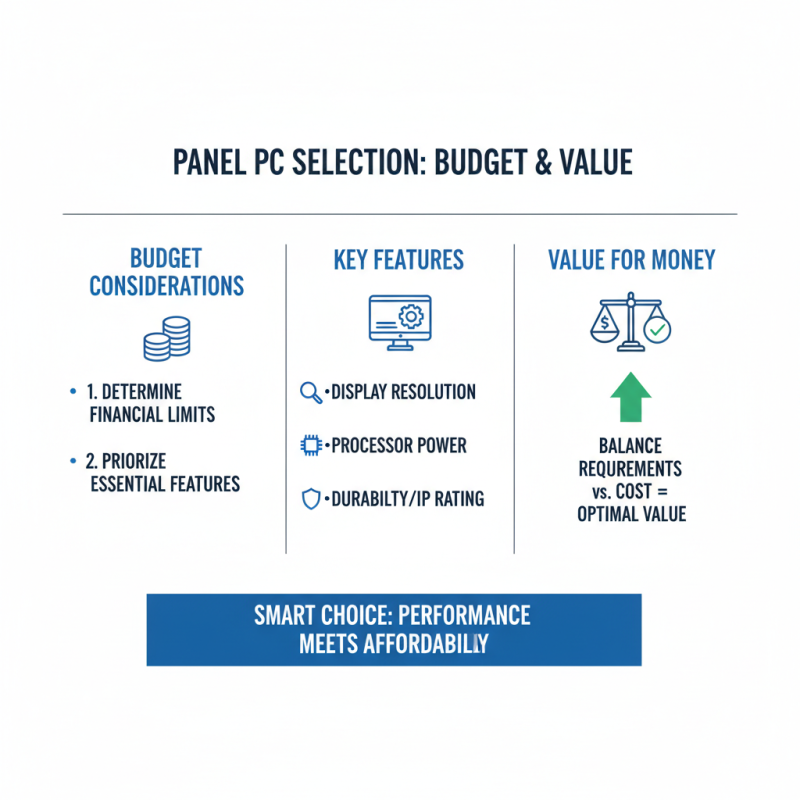
When selecting a panel PC, budget plays a crucial role. You need to evaluate what features matter most to you. For example, a higher resolution display might enhance your work experience, but it can also drive up costs. The key is to balance your requirements with your financial limits.

Consider what you'll mainly use the panel PC for. If it's for basic tasks, a simpler model may suffice. However, specialized applications could justify investing more. Assess the components, such as processor speed and RAM, as they directly impact performance. Some features may seem attractive but come at a higher price without a significant return on investment.

Don't forget about durability and warranty options. A cheaper device might fail quickly, leading to more costs in the long run. Assessing value is not just about the initial price tag. You should think about the total cost of ownership. Investing wisely can save you trouble later. Remember, it’s also about finding a model that fits seamlessly into your workflow. Your specific needs should guide your decision, not just the numbers on the price label.