How to Choose the Best Ruggedized PC for Your Business Needs
In today’s fast-paced business environment, the necessity for reliable computing solutions has never been more critical. Ruggedized PCs, designed to withstand extreme conditions such as high temperatures, humidity, and shock, have become essential tools across various industries, including manufacturing, logistics, and outdoor fieldwork. According to a recent study by MarketsandMarkets, the ruggedized hardware market is projected to reach USD 10 billion by 2025, indicating a strong demand for these resilient devices. As businesses increasingly operate in challenging settings, understanding how to choose the right ruggedized PC is crucial for maintaining operational efficiency.
Expert Dr. Emily Johnson, a leading authority in ruggedized technology, emphasizes this importance, stating, “Selecting the appropriate ruggedized PC can significantly enhance productivity while minimizing downtime in harsh environments.” This sentiment resonates with many industry professionals who recognize the impact of durable computing on their daily operations.
As organizations evaluate their specific needs, factors such as performance, portability, and durability must be taken into account to ensure that the chosen ruggedized PC aligns with their operational requirements. With the right insights and knowledge, businesses can make informed decisions that not only support their current demands but also pave the way for future growth.
Understanding the Importance of Ruggedized PCs for Business Operations
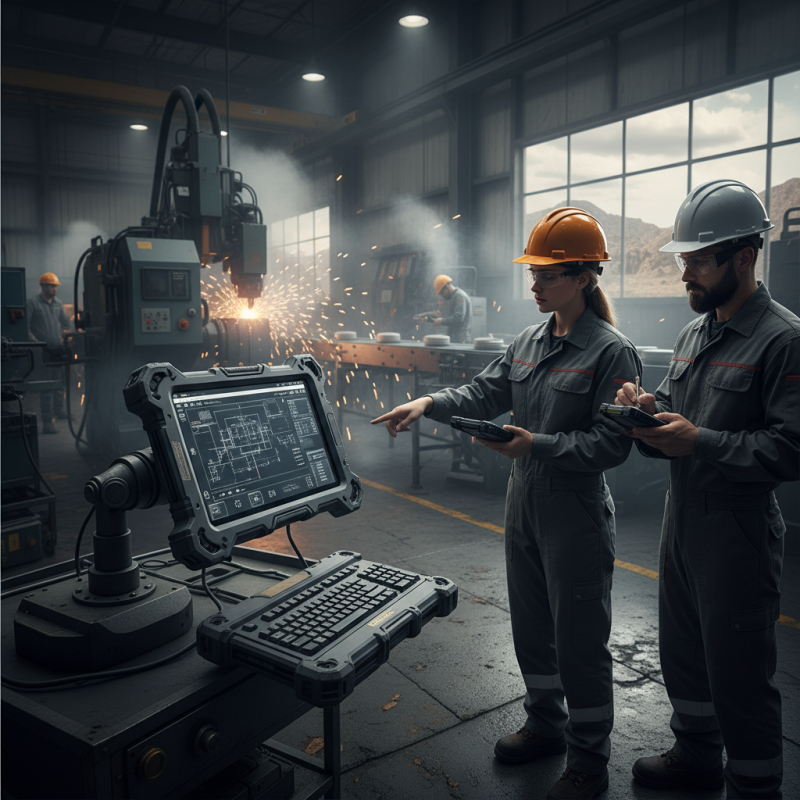
Ruggedized PCs play a crucial role in enhancing operational efficiency for businesses that operate in challenging environments. These specialized computers are designed to withstand harsh conditions, such as extreme temperatures, moisture, dust, and impact, making them ideal for industries like construction, manufacturing, and military applications. By using ruggedized PCs, businesses can ensure that their operations run smoothly even in less than favorable circumstances, reducing downtime and maintenance costs associated with traditional computers.
Moreover, ruggedized PCs often come equipped with features tailored to specific industry needs, such as waterproofing, vibration resistance, and longer battery life. This adaptability not only boosts productivity but also enhances employee safety by minimizing the risk of equipment failure during critical tasks. As businesses increasingly rely on mobile technology to streamline processes and gather real-time data, the importance of robust and durable computing solutions continues to grow. Investing in ruggedized PCs can therefore provide a significant advantage in maintaining operational integrity and ensuring continuity in various business operations.
Key Features to Consider When Selecting a Ruggedized PC
When selecting a ruggedized PC for your business needs, assessing key features is essential to ensure durability and performance in challenging environments. One significant aspect to consider is the device's ingress protection (IP) rating. A higher IP rating, such as IP65 or greater, indicates that the PC is shielded against dust and can withstand low-pressure water jets. Reports from industry analysts predict that ruggedized devices are expected to see a compound annual growth rate (CAGR) of 7.5% through 2026, reflecting the growing demand for durable computing solutions across various sectors like manufacturing, construction, and transportation.
Another critical factor is the operating temperature range of the ruggedized PC. Devices that can function effectively in extreme temperatures, often between -20°C and +60°C, are crucial in industries where environmental conditions can fluctuate significantly. Moreover, battery life and connectivity options are foundational considerations, as many ruggedized PCs are utilized in the field where reliable power sources and seamless data transfer are paramount. Research indicates that more than 60% of field workers depend on long-lasting battery life and robust wireless connectivity to enhance productivity and ensure uninterrupted communication. Hence, evaluating these features will help in choosing the best ruggedized PC tailored to your business requirements.
How to Choose the Best Ruggedized PC for Your Business Needs - Key Features to Consider When Selecting a Ruggedized PC
| Feature |
Description |
Importance Level |
| Durability |
Ability to withstand harsh environments, including temperature extremes and vibrations. |
High |
| Water and Dust Resistance |
IP ratings indicating protection against water and particulate ingress. |
High |
| Performance |
Sufficient processing power and memory to run business applications effectively. |
Medium |
| Portability |
Weight and size considerations for ease of transport in the field. |
Medium |
| Battery Life |
Duration of operation without needing to recharge, crucial for fieldwork. |
High |
| Connectivity Options |
Availability of ports and wireless options to support various peripherals and networks. |
Medium |
| Operating System |
Compatibility with software applications used within the business. |
Medium |
| Warranty and Support |
Availability of support services and duration of warranty offered. |
High |
Assessing Your Business Environment and Usage Scenarios
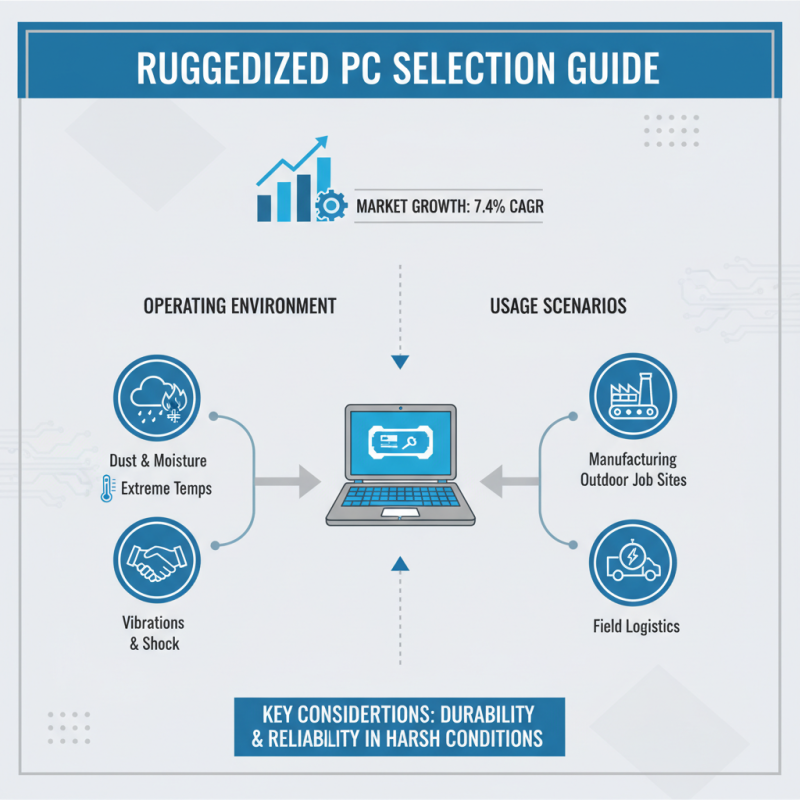
When selecting the ideal ruggedized PC for your business needs, understanding your operating environment and specific usage scenarios is crucial. Businesses often operate in diverse settings, from manufacturing floors to outdoor job sites, where exposure to dust, moisture, and extreme temperatures can pose significant challenges. According to a report by VDC Research, the rugged computer market is projected to grow at a CAGR of 7.4%, highlighting the increasing demand for durable computing solutions across various industries. It is essential to assess how varying environmental conditions—such as vibrations, shocks, and environmental hazards—will impact your device's performance and longevity.
Tips: Always verify the IP rating of the rugged PC, indicating its resistance to dust and water. A higher rating assures you that the device can withstand challenging conditions. Additionally, consider the MIL-STD-810 certification, which guarantees a rugged device can endure military-grade testing for durability.
Your specific usage scenario further drives the selection process. For example, a field service technician may require a lightweight, portable device with long battery life, while a construction site may necessitate a fully rugged unit with a high-brightness display for easy visibility in sunlight. According to the Defense Acquisition University, devices designed to operate under extreme conditions often outperform standard models by up to 50% in terms of reliability in harsh environments. Therefore, carefully mapping out how your employees will use the rugged PC can significantly influence efficiency and productivity.
Tips: Pay attention to user ergonomics and the device's interface. A well-designed rugged PC should allow for seamless operation with gloves and have an intuitive layout to minimize training time and improve user satisfaction.
Evaluating Performance Specifications for Ruggedized PCs
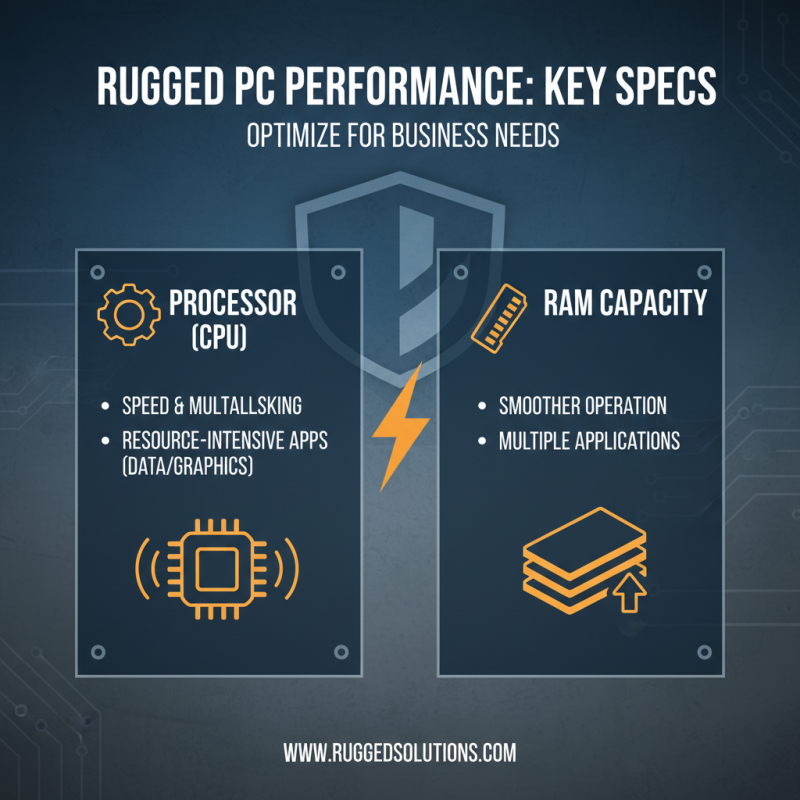
When evaluating performance specifications for ruggedized PCs, it's essential to consider the key components that will best meet your business needs. Start with the processor, as it directly impacts the machine's speed and ability to multitask. Look for powerful CPUs that can handle resource-intensive applications, especially if your work involves data processing or graphics rendering. Additionally, evaluate the RAM capacity; more RAM allows for smoother operation and improved performance when running multiple applications simultaneously.
Another critical specification to assess is storage type and capacity. Solid State Drives (SSDs) offer faster data access speeds compared to traditional Hard Disk Drives (HDDs), enhancing overall system performance. Ensure that the ruggedized PC has ample storage to accommodate your files and applications, as well as room for future expansion. Lastly, consider the graphics capabilities, especially if your tasks include video editing or other graphic-intensive operations.
**Tips:** When choosing a ruggedized PC, prioritize specifications that align with your typical workload. If your tasks include fieldwork, focus on battery life and portability. Always assess how the specifications enhance your efficiency; this will guide you in selecting the best device for your operations. Don’t forget to check for upfront costs versus long-term durability; a robust PC designed for harsh environments can save costs on repairs and replacements over time.
Budgeting and Cost Analysis for Ruggedized PC Acquisition
When budgeting for ruggedized PCs, it's essential to understand the total cost of ownership rather than just the initial purchase price. Consider not only the upfront costs but also the long-term expenses associated with maintenance, upgrades, and potential downtime. Ruggedized PCs are designed to withstand harsh environments, which can reduce repair costs and downtime in the long run. Factor in warranty options and support services, as these can impact your overall expenditure significantly.
**Tips for Budgeting:**
- Assess your specific business needs and usage environments to determine which features are essential and which can be compromised. This targeted approach can help avoid overspending on unnecessary specifications.
- Consider financing options or leasing agreements, which can spread out costs over time, making it easier to integrate ruggedized PCs into your operating budget without sacrificing quality or performance.
Finally, it's wise to research and compare different models to identify the best value for your investment. Gathering feedback from current users within your industry can provide insights into reliability and performance, ensuring you make an informed decision tailored to your business's unique requirements.
Cost Analysis for Ruggedized PCs in Business
This chart illustrates the average costs associated with different ruggedized PC types and their corresponding features.